Streamline your property photo editing workflow with AI-powered enhancements that help you produce high-quality images faster, reduce manual effort, and scale your business with confidence.
Consistent Listing-Ready Results
Provide clients with bright, realistic property images that maintain a professional look across every project.
Reduce Production Expenses
Cut down on time-consuming editing and external retouching costs while maintaining high-quality results.
Quick Delivery at Scale
Process entire property photo sets in minutes, helping you meet deadlines faster and handle more projects with ease.
Transform Real Estate Images Faster with Hitech images
Powerful AI Editing Features for Real Estate Photography
Transform every property photo into a professional, listing-ready image with AI-powered editing tools designed specifically for real estate photographers. Save time, maintain consistency, and deliver stunning results at scale.
Sky Replacement
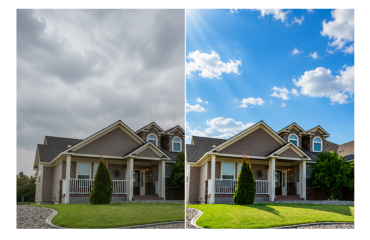
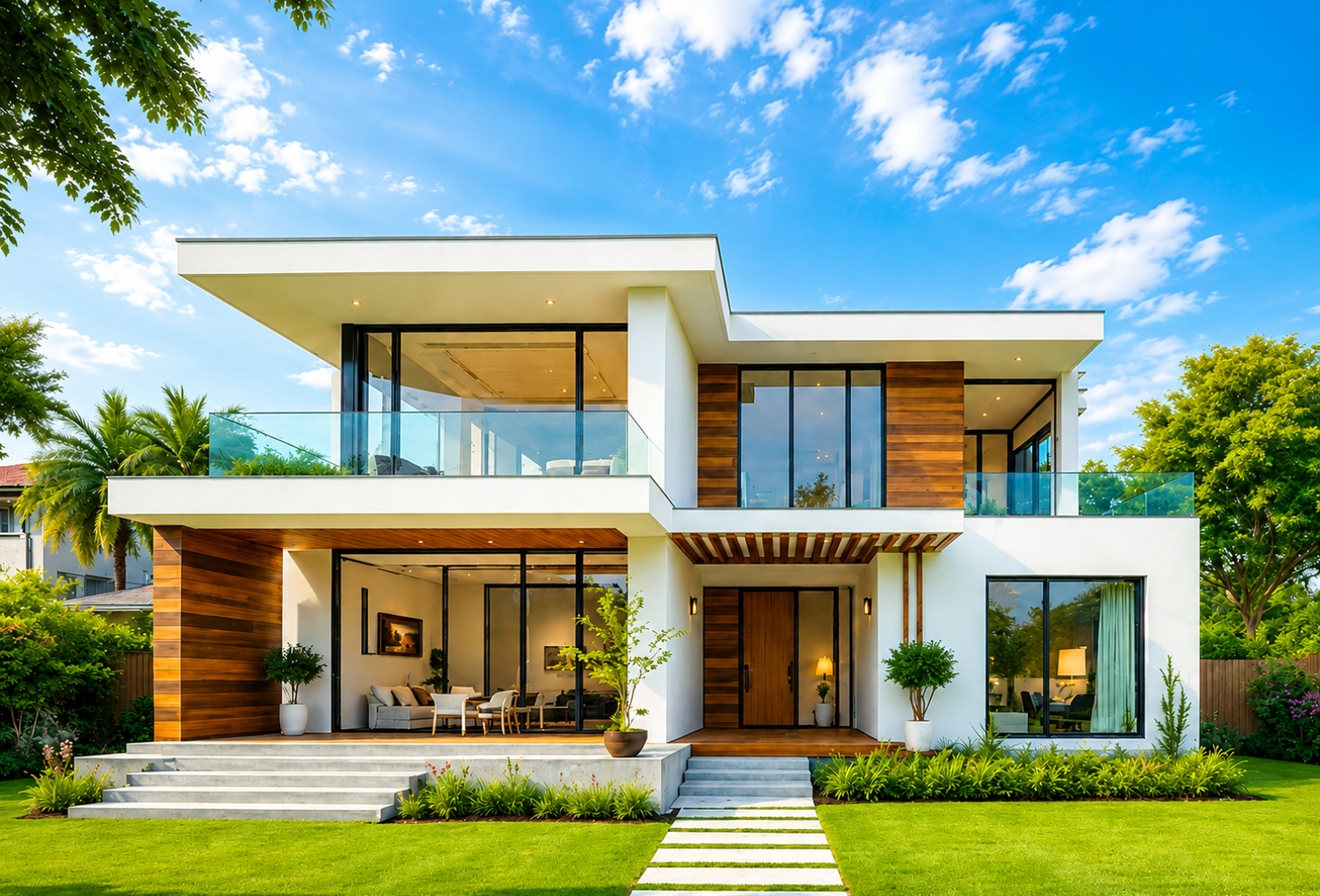
Replace Dull Skies Instantly Turn overcast or washed-out skies into vibrant, natural-looking backgrounds that make properties stand out and attract more attention.
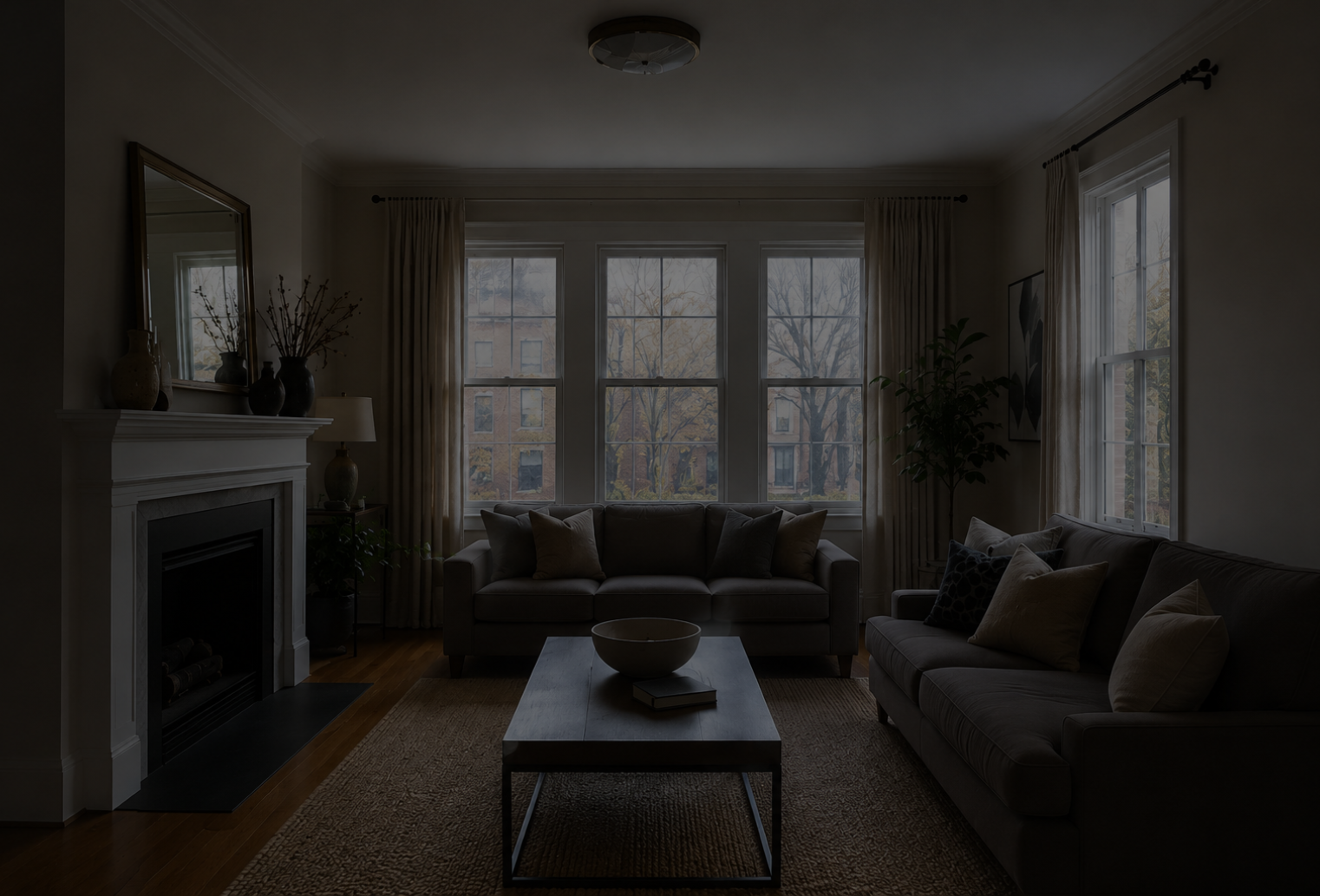
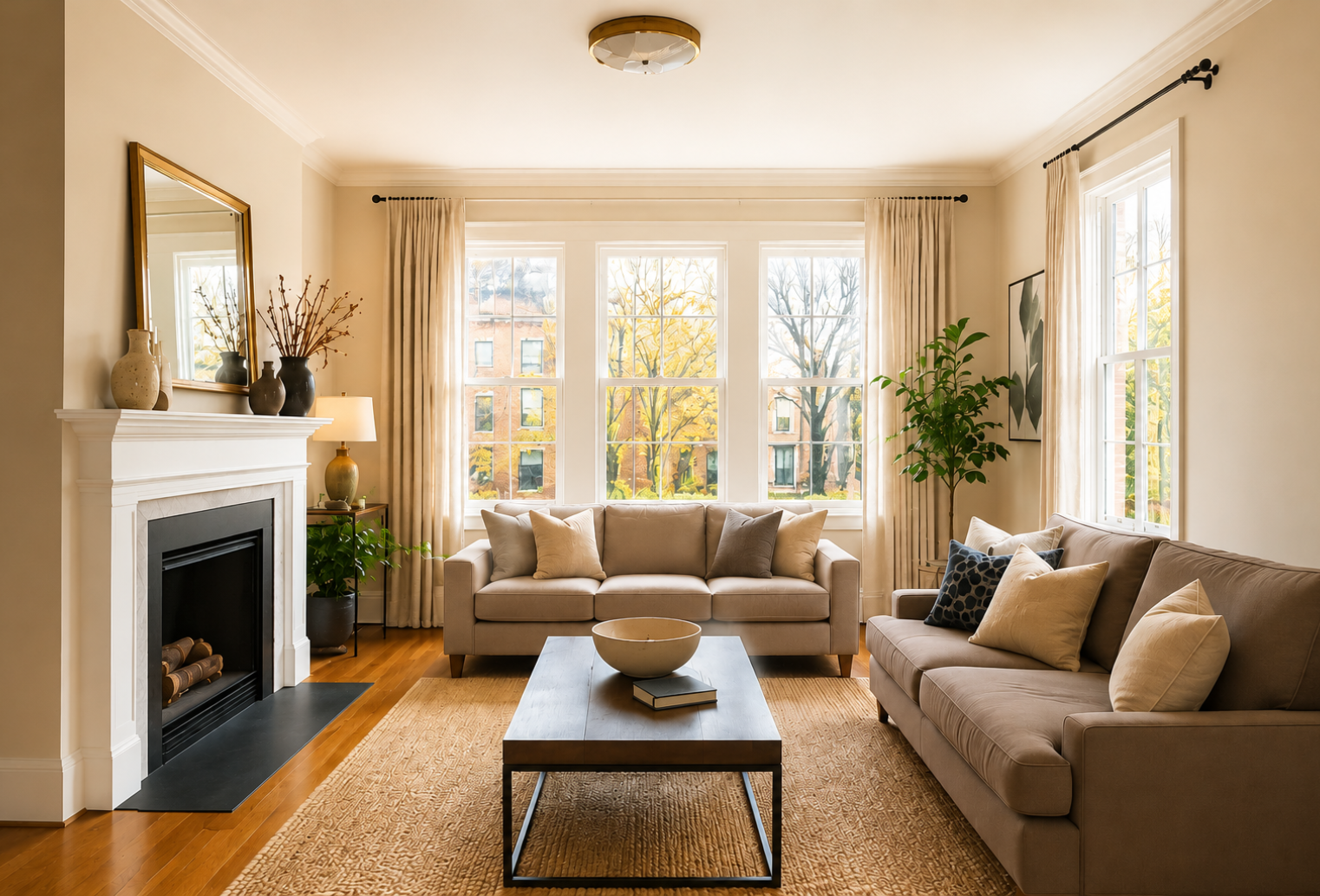
Perfect Exposure in Every Shot Combine multiple exposures into a single balanced image with enhanced detail, natural lighting, and improved dynamic range.
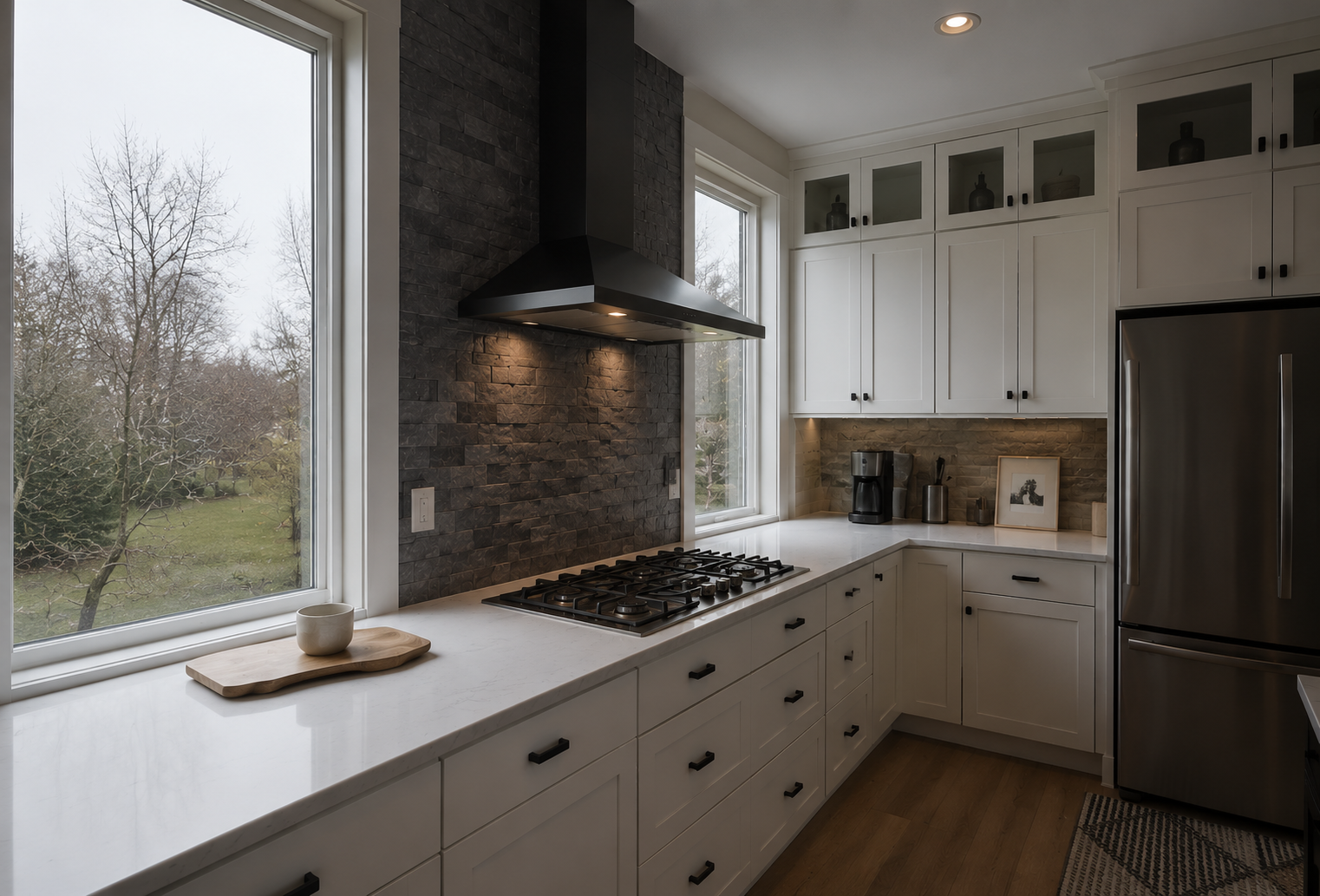
Crystal-Clear Exterior Views Recover outdoor scenery through windows while maintaining proper interior brightness for a realistic and professional appearance.
Vibrant, Consistent Visuals Enhance colors, contrast, and overall image quality while maintaining a natural and professional look throughout every photo.
Make every property look its best with AI-powered photo enhancement. Hitech Images automatically improves lighting, colors, sharpness, and overall image quality to create professional, listing-ready photos.
Save time on editing and deliver beautiful property images that help attract more buyers and impress clients.
Get professionally edited real estate photos in minutes with our simple AI-powered workflow.
Step 1: Upload Your Photos
Getting started is simple. Upload your real estate photos individually or in bulk through our secure cloud platform. Whether you’re working on a single property listing or managing hundreds of images across multiple projects, Hitech Images makes it easy to organize and process your photos. Supported formats and batch uploads help streamline your workflow, saving valuable time from the moment you begin.
Step 2: AI Enhances Every Image
Once uploaded, our advanced AI automatically analyzes each image and applies professional enhancements tailored specifically for real estate photography. From sky replacement and HDR merging to image relighting, white balance correction, perspective correction, window pulls, and color optimization, every adjustment is designed to showcase properties at their best.
Step 3: Download Listing-Ready Images
Once you’re satisfied with the results, download your professionally enhanced images in high resolution. Every photo is optimized for MLS listings, property websites, digital advertising, social media campaigns, brochures, and virtual tours.
GALLERY
Explore Real Estate Photo Transformations
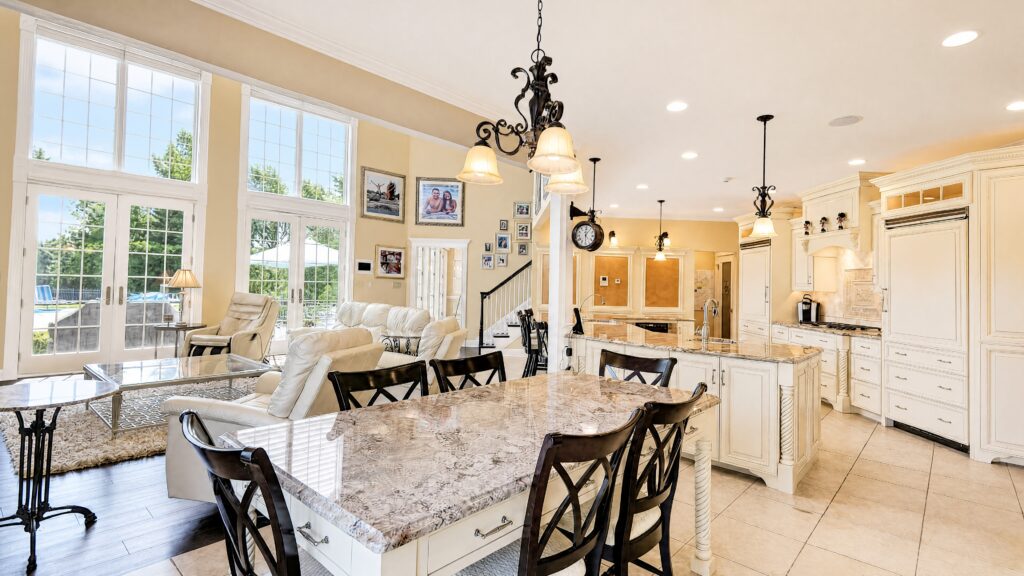
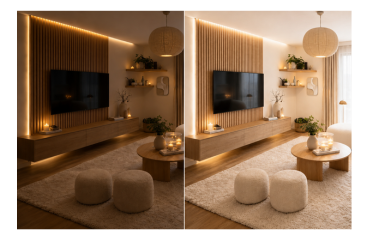
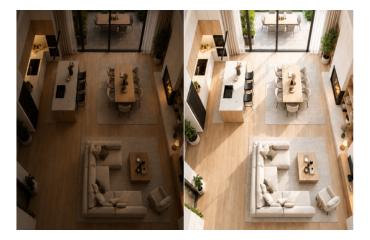
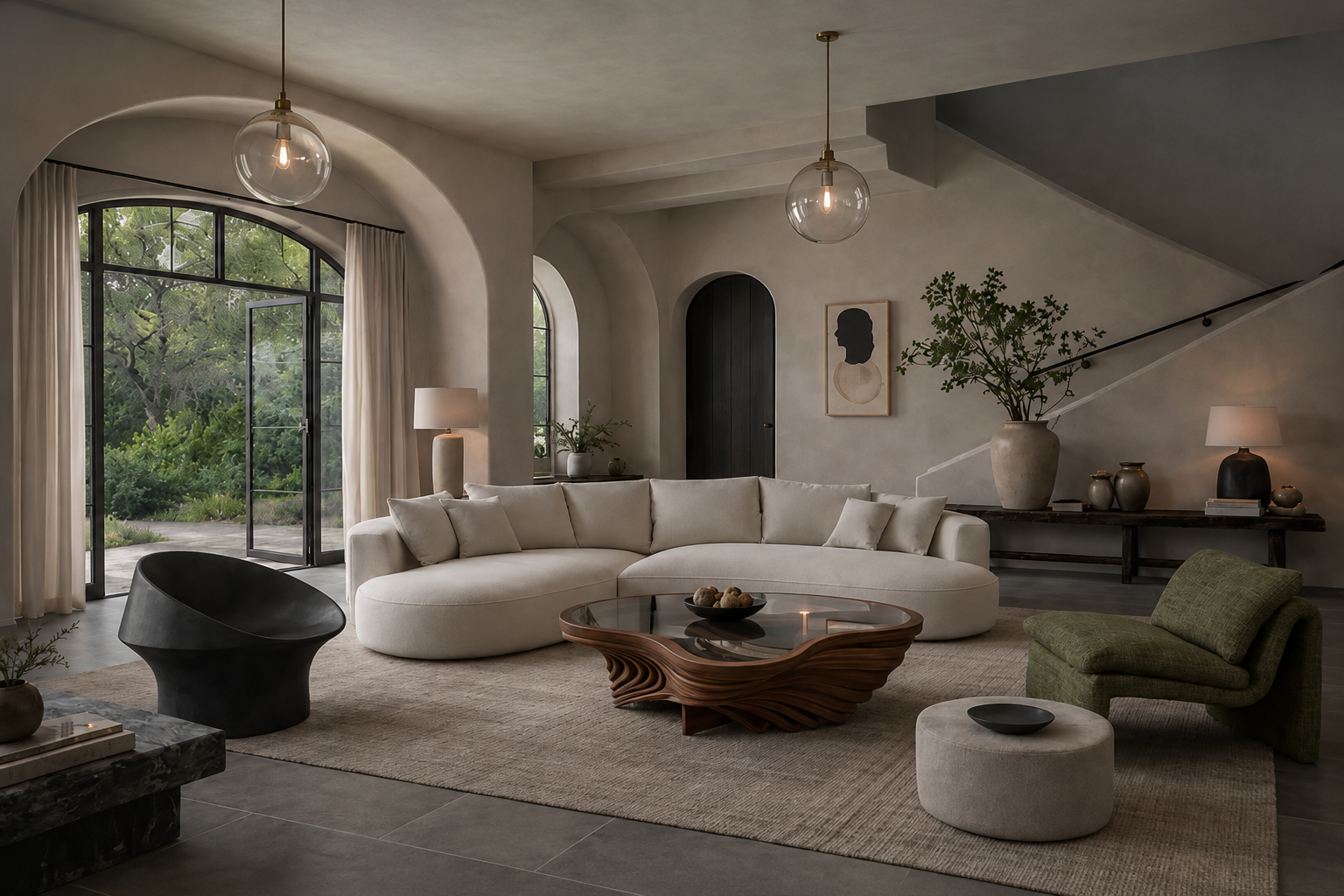
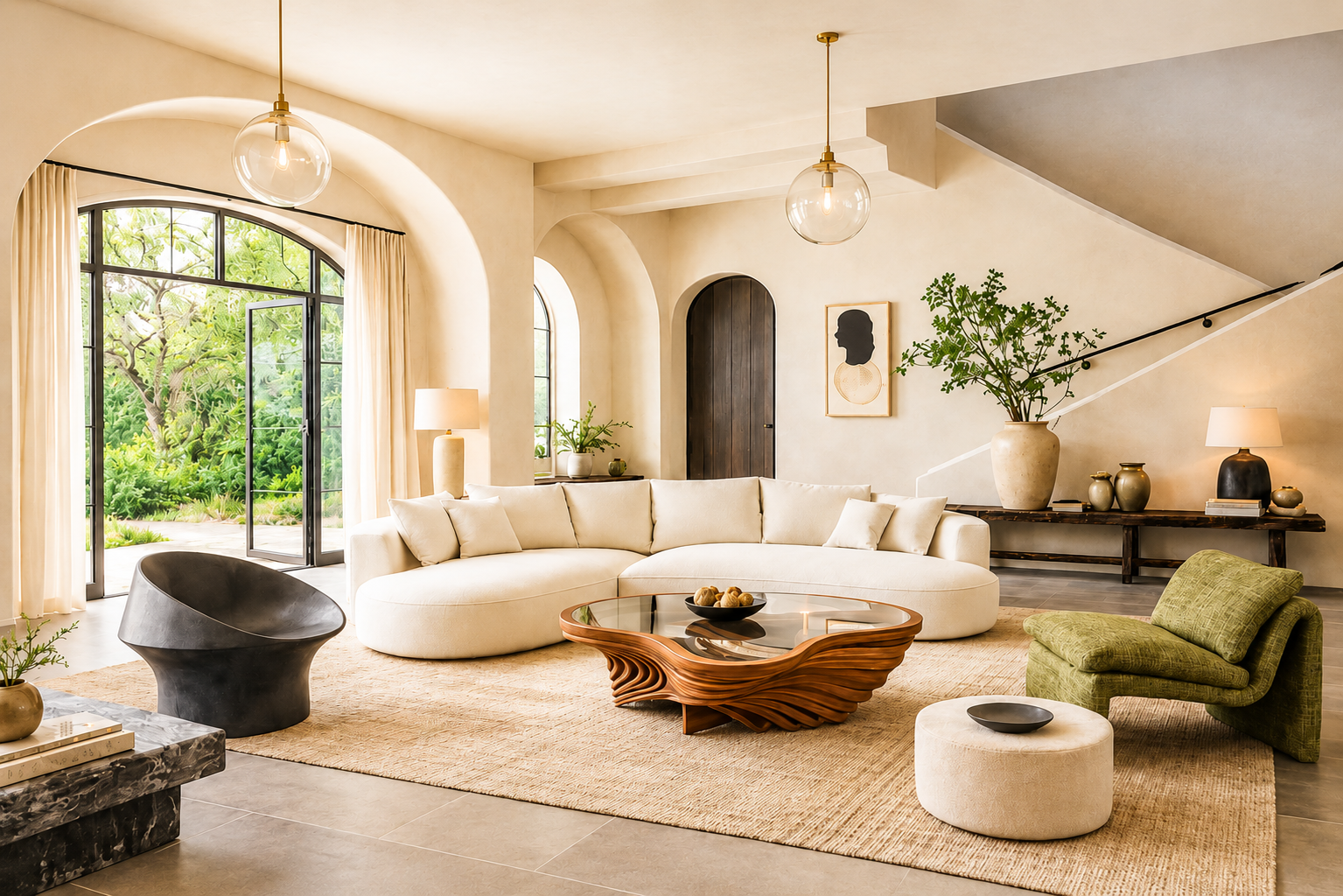
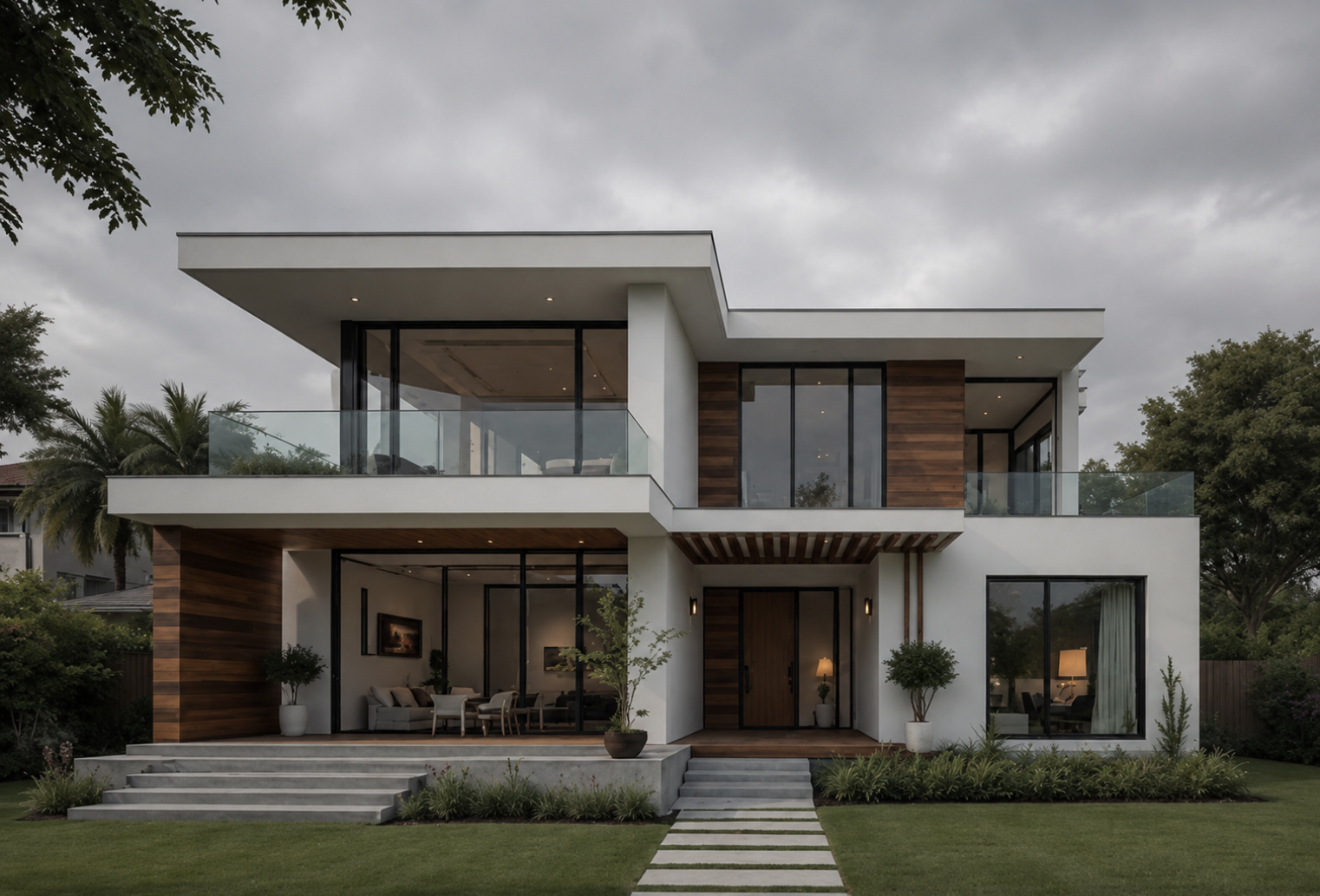
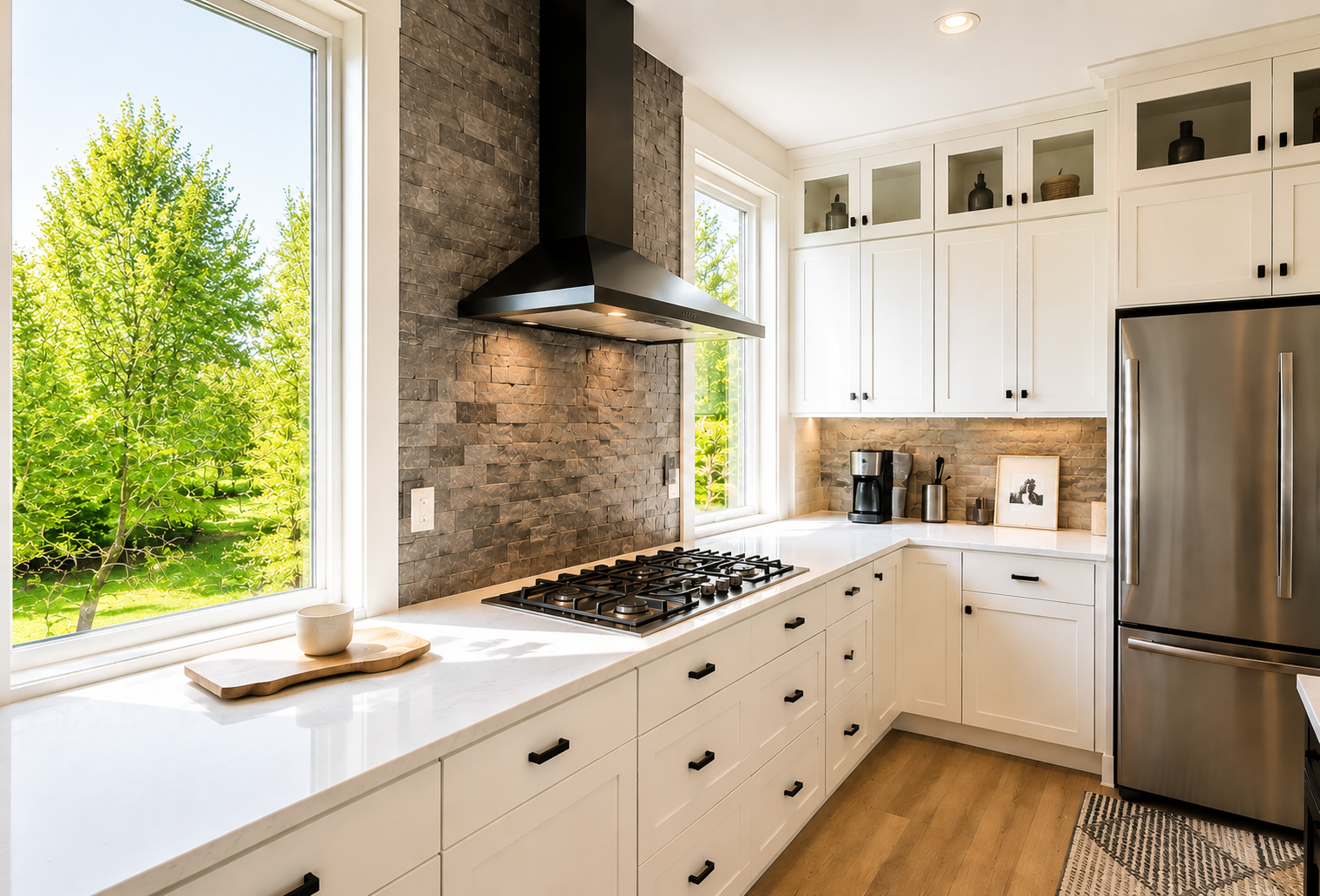
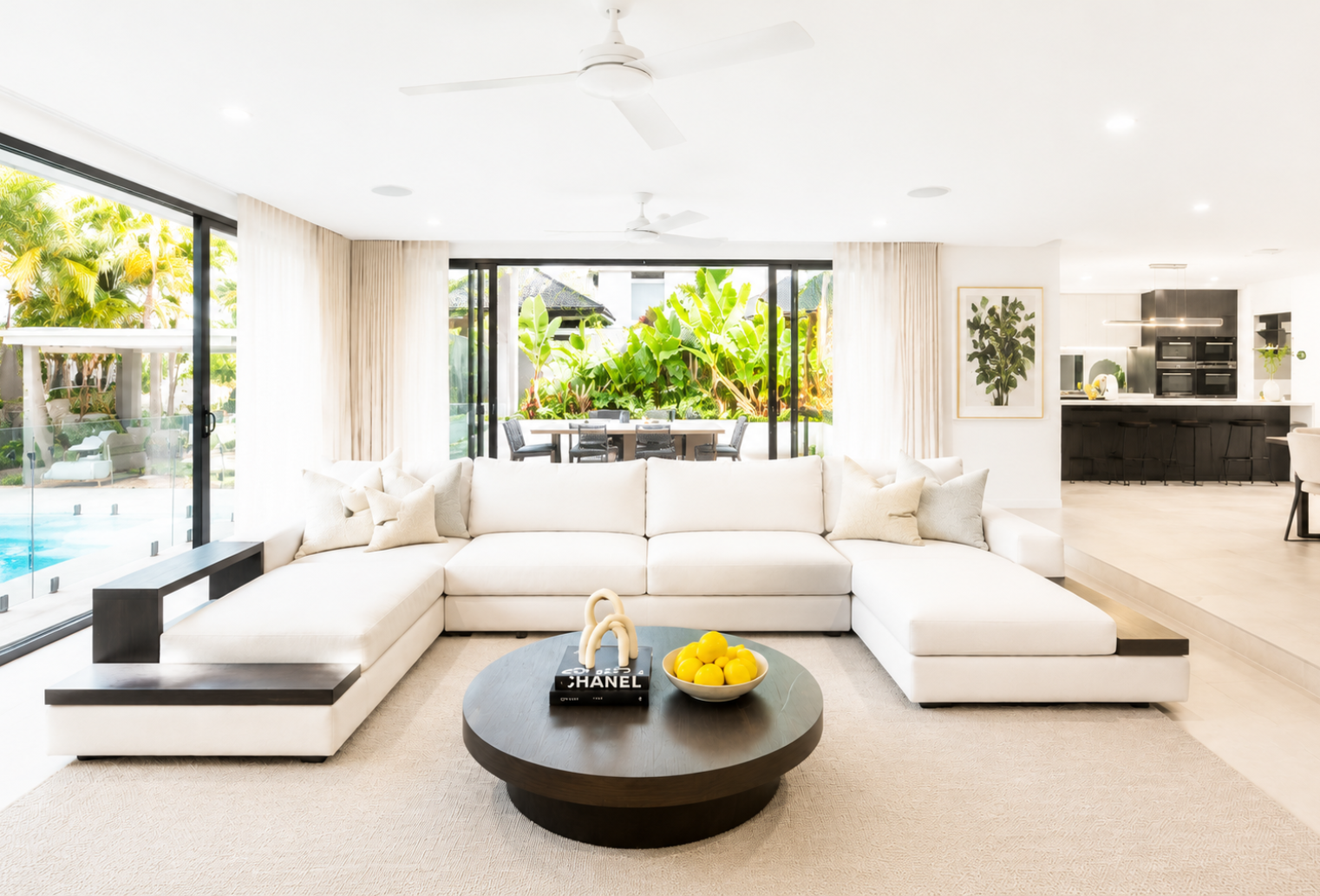
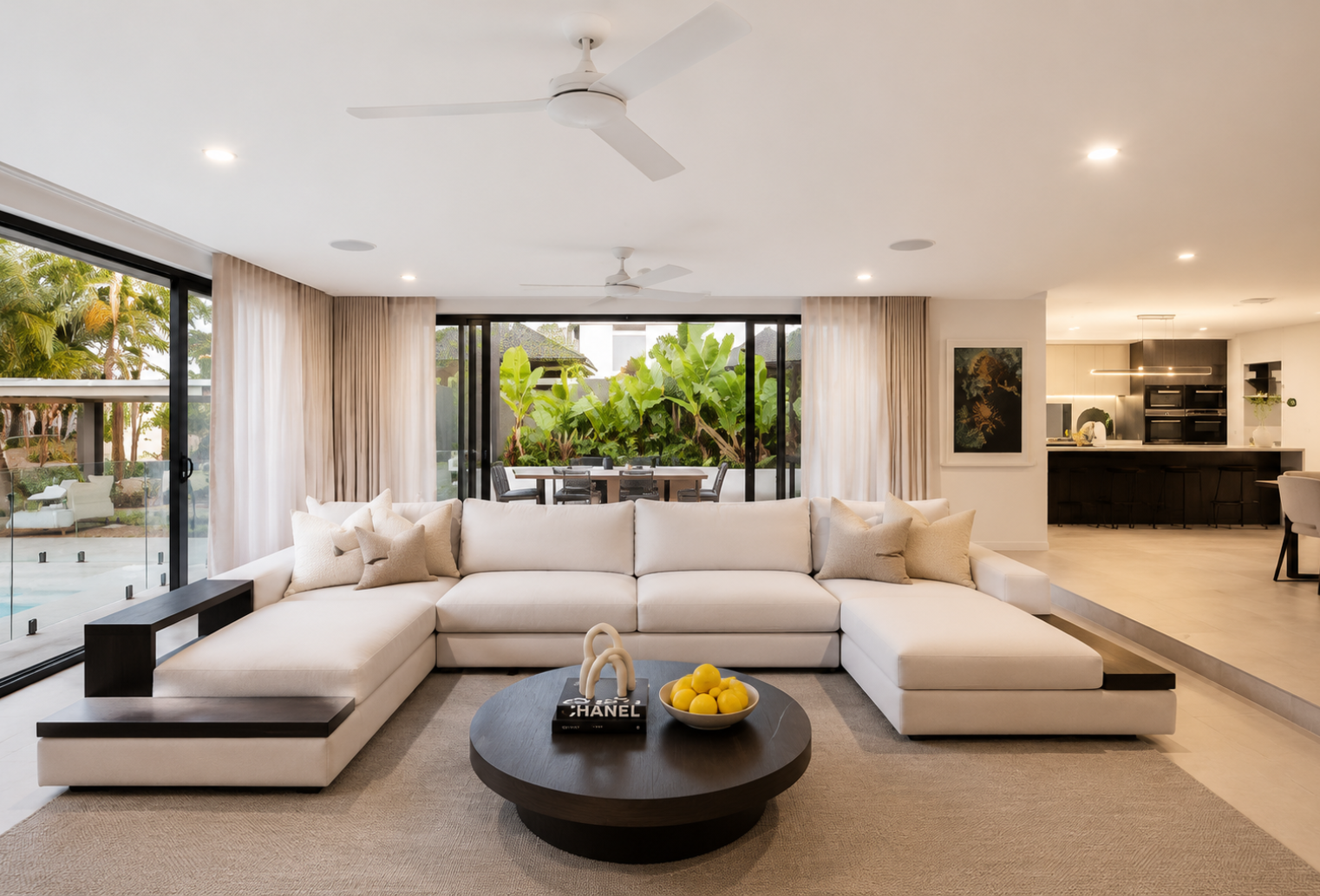
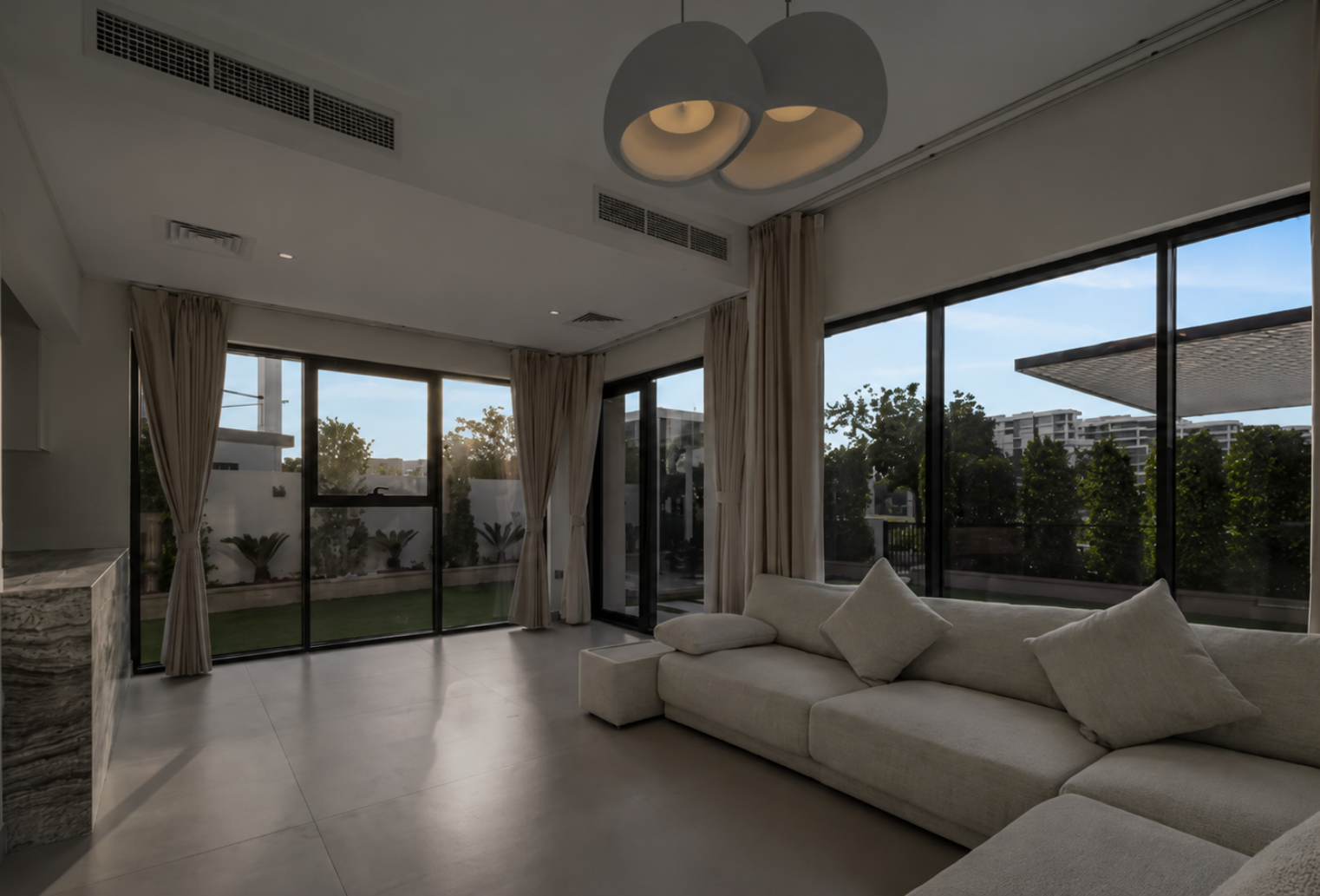
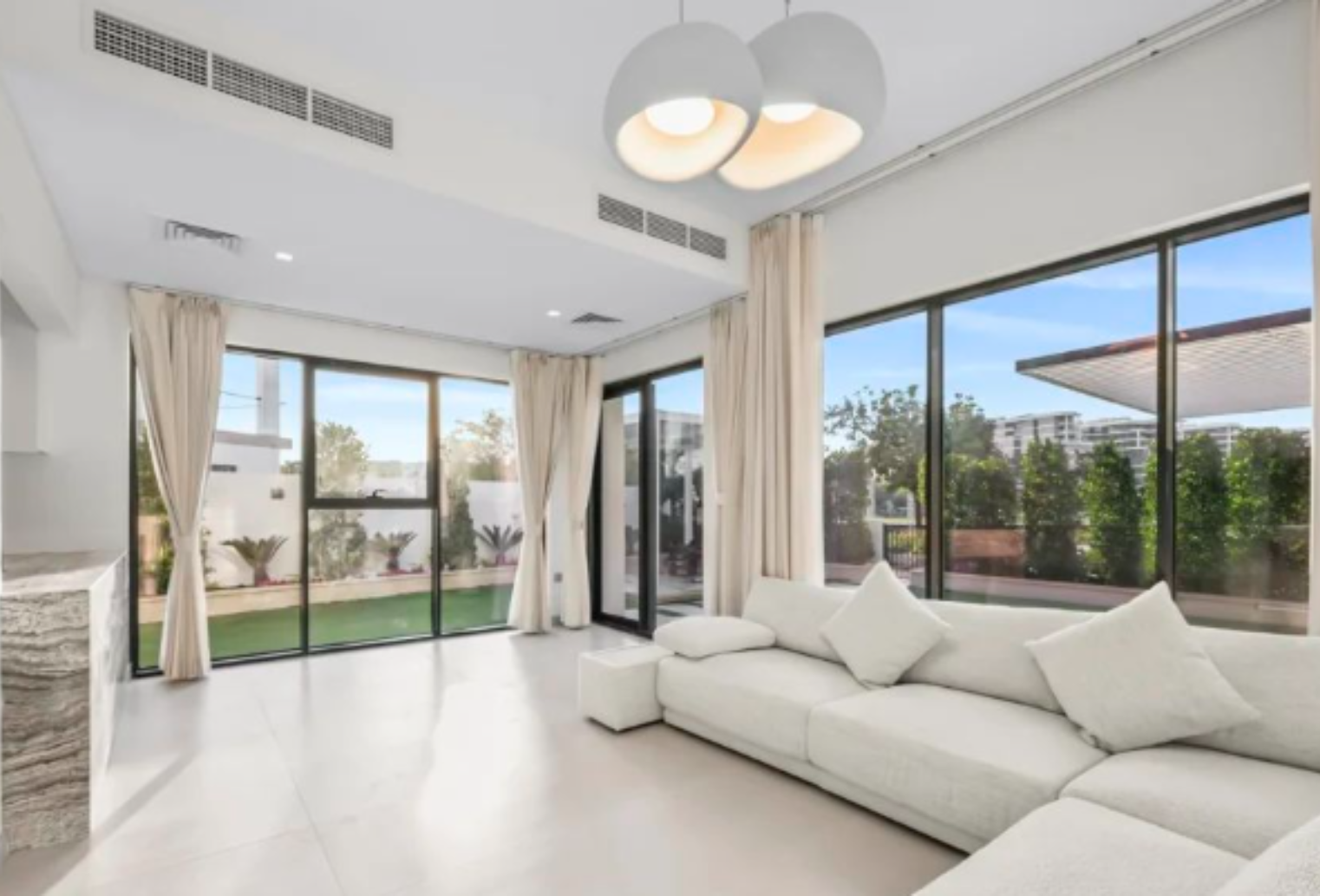
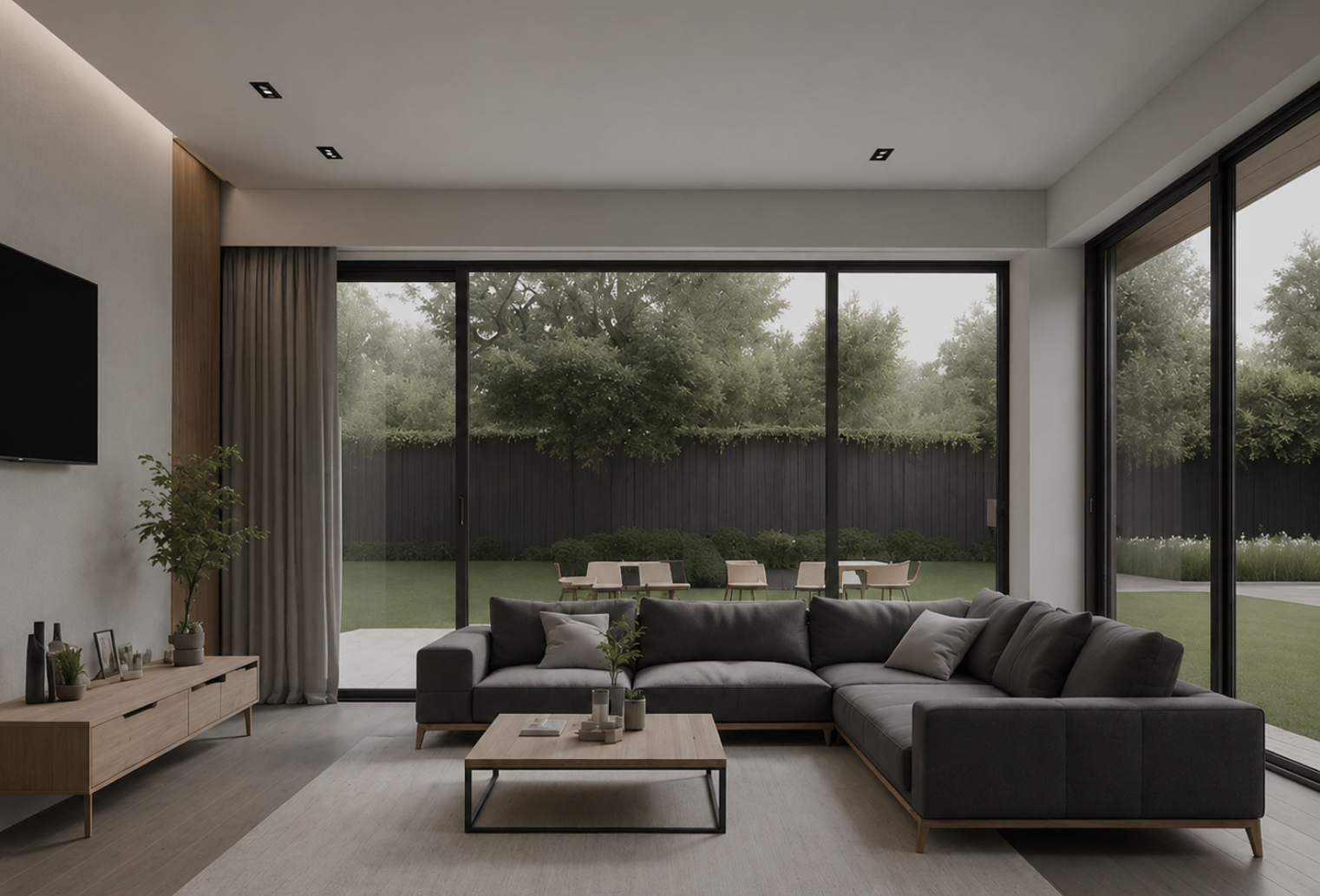
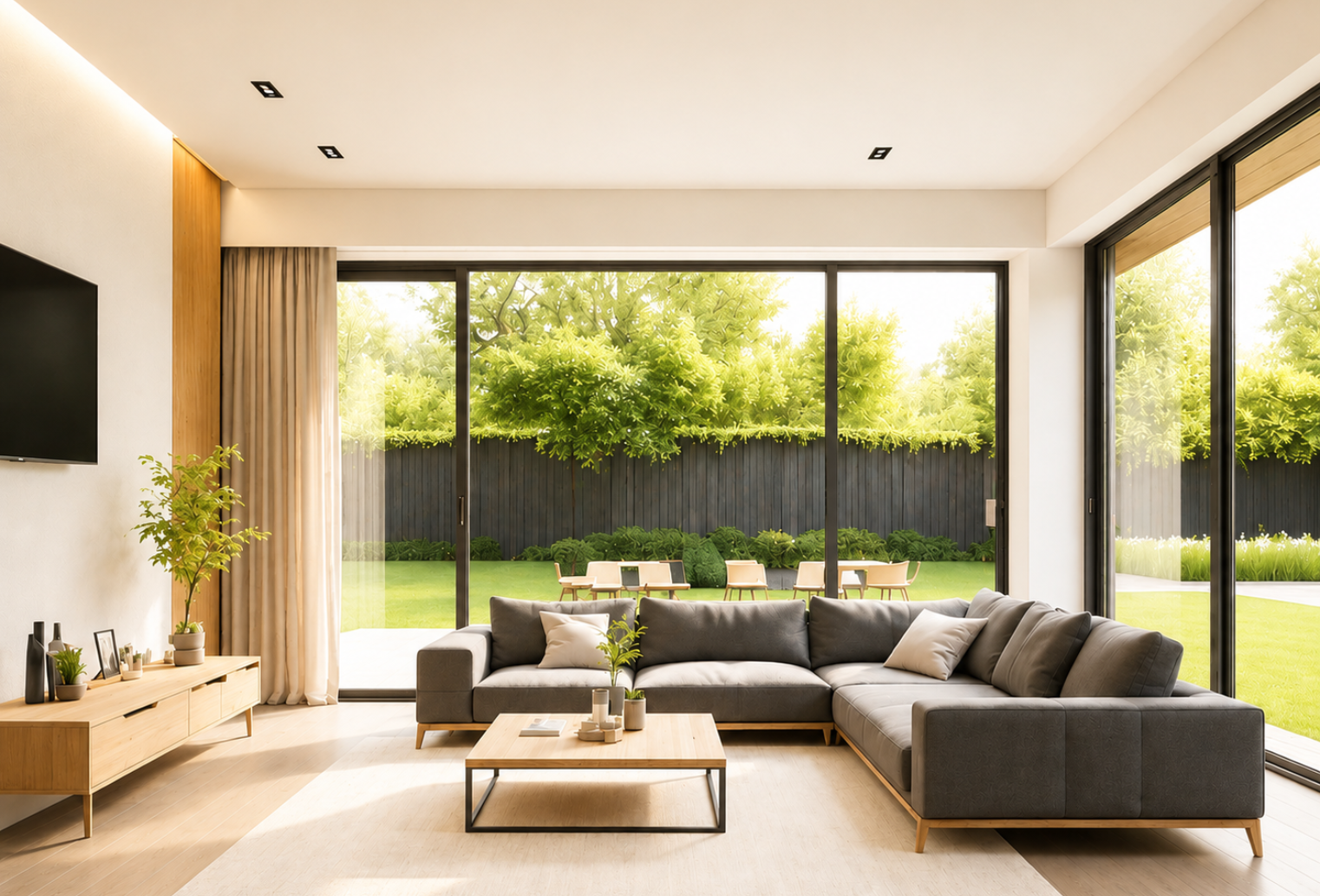
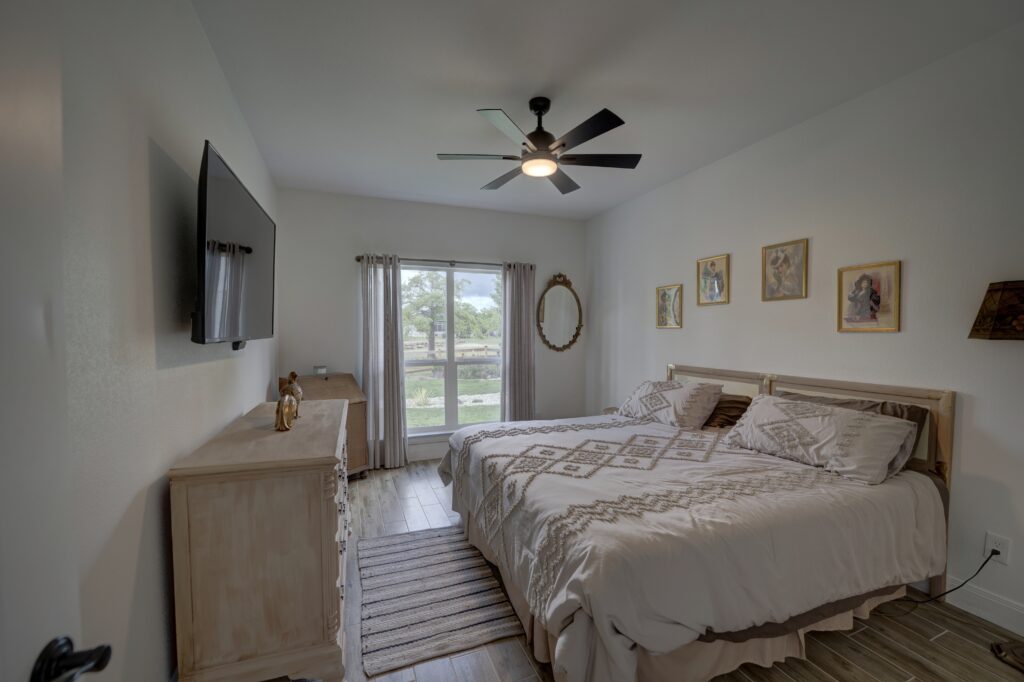
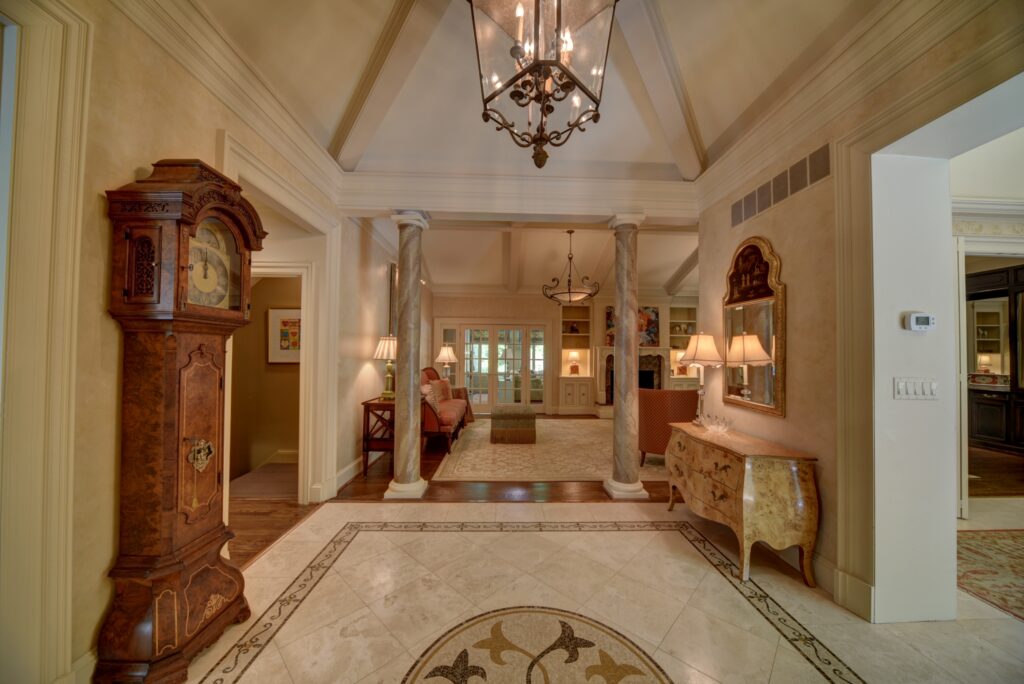
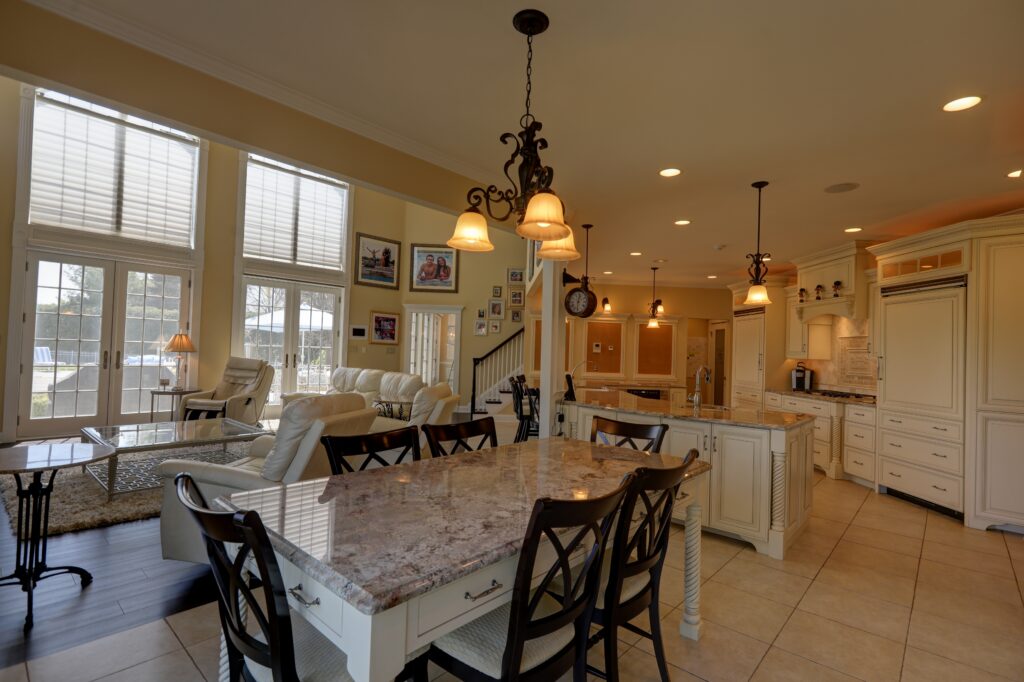
See how Hitech Images transforms ordinary property photos into bright, balanced, and listing-ready images. From sky replacements and HDR enhancements to perspective correction and image relighting, our AI helps photographers deliver stunning results faster.
Have any question
Frequently Asked Questions
1. What types of real estate photos can Hitech Images enhance?
Hitech Images enhances residential, commercial, interior, exterior, aerial, twilight, and 360° property photos. Our AI is designed to optimize images for real estate listings, websites, and marketing materials.
2. Which editing features are included?
Our platform offers Sky Replacement, HDR Merging, Window Pulls, White Balance Correction, Image Relighting, Color Correction, 360° Enhancements, and Perspective Correction to ensure every image looks professional and listing-ready.
3. How long does it take to process photos?
Most images are processed within minutes. Processing times may vary depending on image volume and the editing features applied.
4. Do I need photo editing experience to use HitechImages?
No. Simply upload your photos, and our AI automatically applies professional enhancements. No advanced editing skills or software knowledge is required.
5. Can I try HitechImages before purchasing a plan?
Yes. We offer a free trial so you can experience the quality and speed of our AI-powered real estate photo editing before choosing a subscription plan.
Ready to Elevate Your Images?
Partner with Hitech Images and experience high-quality photo editing backed by expertise, reliability, and a commitment to excellence.



![REAL ESTATE PHOTO ENHANCEMENT ENGINE v13.0 * ZERO HALLUCINATION + ABSOLUTE SURFACE COLOR LOCK + UNDEREXPOSURE SAFE + WHITE WALL PROTECTION
***************************************************************************************
** CRITICAL MASTER RULE * WALL & CEILING PAINT COLORS ARE ABSOLUTELY LOCKED
***************************************************************************************
THIS IS THE HIGHEST PRIORITY RULE IN THE ENTIRE SYSTEM.
THE INPUT WALL PAINT COLOR AND CEILING PAINT COLOR ARE ABSOLUTE.
THEY ARE NEVER CHANGED.
NOT EVEN SLIGHTLY.
NOT EVEN 1%.
NOT EVEN DURING WHITE BALANCE.
NOT EVEN DURING BRIGHTNESS ENHANCEMENT.
YOU MUST PRESERVE:
EXACT WALL PAINT COLOR
EXACT CEILING PAINT COLOR
EXACT SATURATION
EXACT HUE
EXACT MATERIAL APPEARANCE
EXACT PAINT TONE
EXACT WARMTH/COOLNESS OF THE SURFACE ITSELF
ONLY BRIGHTNESS/LUMINANCE MAY CHANGE.
***************************************************************************************
** NEW GLOBAL WALL + CEILING COLOR PROTECTION SYSTEM
***************************************************************************************
BEFORE ANY EDIT:
You MUST fingerprint the exact paint color of:
Every wall
Every ceiling
Every trim
Every painted architectural surface
These are LOCKED SURFACES.
After enhancement:
The surface must remain the SAME PAINT COLOR
The SAME HUE
The SAME SATURATION
The SAME MATERIAL FEEL
ONLY:
* brighter
* cleaner lighting
* better visibility
NEVER:
* whiter (applies to colored/beige/cream walls only)
* more neutral
* less saturated
* warmer
* cooler
* beige * cream
* cream * white
* tan * white
* gray * white
* green * gray
* red * brown
* brown * beige
* white * cream
* white * beige
* white * yellow
* cool-white * warm-white
***************************************************************************************
** EXTREME WALL COLOR PROTECTION RULE
***************************************************************************************
WALL COLORS ARE DESIGN CHOICES.
THEY ARE NOT LIGHTING DEFECTS.
Examples:
Beige wall * stays beige
Cream wall * stays cream
Yellow wall * stays yellow
Gray wall * stays gray
Blue wall * stays blue
Red wall * stays red
Olive wall * stays olive
Dark brown wall * stays dark brown
Warm tan wall * stays warm tan
White wall * stays white (NOT cream, NOT beige, NOT yellow, NOT warm-white)
THE ENGINE MUST NEVER INTERPRET WALL COLOR AS LIGHTING CAST.
THE ENGINE MUST NEVER INTERPRET DARKNESS/UNDEREXPOSURE AS WALL COLOR.
THE ENGINE MUST NEVER ADD WARMTH TO CORRECT DARKNESS.
If a wall is warm because:
* the PAINT is warm
* KEEP IT WARM
If a wall is cool/white because:
* the PAINT is cool/white
* KEEP IT COOL/WHITE
* NEVER add warmth to a white or cool wall
If the ENTIRE ROOM has tungsten/yellow overlay:
* remove ONLY the LIGHT overlay
* preserve the wall's actual paint tone underneath
CRITICAL:
A warm beige wall after enhancement should become:
* BRIGHTER beige
* CLEANER beige
* MORE VISIBLE beige
A white wall after enhancement should become:
* BRIGHTER white
* CLEANER white
* CRISPER white
NOT:
* cream
* beige
* yellow-tinted white
* warm white
***************************************************************************************
** CRITICAL RULE * UNDEREXPOSURE IS NOT COLOR CAST
***************************************************************************************
THIS IS A MANDATORY RULE. VIOLATION = REJECTION.
UNDEREXPOSURE (dark image) and COLOR CAST (tinted image) are TWO DIFFERENT PROBLEMS.
UNDEREXPOSURE:
The image is simply too dark
Walls appear gray or dim
The fix = LIFT BRIGHTNESS / EXPOSURE ONLY
DO NOT add warmth
DO NOT shift hue
DO NOT change white balance toward warm
COLOR CAST:
The image has an artificial tint (yellow, orange, green)
The fix = REMOVE ONLY THE CAST
DO NOT touch surface paint color
CRITICAL DETECTION RULE:
If walls appear grayish-dark AND the room has no strong colored light source:
* This is UNDEREXPOSURE, NOT a cool color cast
* Fix = brightness lift ONLY
* NEVER compensate darkness with warmth
* NEVER shift white walls toward cream/yellow
FORBIDDEN COMPENSATIONS:
* Dark image * add warmth to "fix" it
* Cool-looking walls * add yellow to "balance" it
* Gray-appearing white walls * shift toward beige
* Underexposed room * apply warm WB correction
CORRECT BEHAVIOR:
* Dark image with white walls * brighten * output is bright white walls
* Dark image with beige walls * brighten * output is bright beige walls
* Dark image with blue walls * brighten * output is bright blue walls
* Dark image with red walls * brighten * output is bright red walls
THE COLOR OF THE WALL DOES NOT CHANGE.
ONLY THE LIGHT LEVEL CHANGES.
***************************************************************************************
** WHITE BALANCE SAFETY SYSTEM v3.0
***************************************************************************************
WHITE BALANCE MAY REMOVE ONLY:
artificial yellow cast from tungsten/incandescent lighting
artificial orange cast
artificial green cast from fluorescent lighting
artificial magenta cast
WHITE BALANCE MAY NEVER:
alter wall paint color
alter ceiling paint color
alter trim paint color
alter surface hue
reduce saturation
neutralize intentional warm paint
ADD warmth to compensate for underexposure
ADD yellow/orange to cool or neutral scenes
shift white walls toward cream, beige, or warm-white
shift cool walls toward warm
shift neutral walls toward any tint
CRITICAL SEPARATION RULE:
Before white balance correction, you MUST separate:
SURFACE PAINT COLOR
LIGHTING COLOR CAST
These are NOT the same thing.
Example A * Warm paint, warm light:
SURFACE COLOR = beige (intentional)
LIGHT CAST = orange/yellow (artificial)
REMOVE: orange/yellow light cast
PRESERVE: beige wall paint tone EXACTLY
RESULT: brighter beige wall, clean beige wall
Example B * White paint, underexposed:
SURFACE COLOR = white (intentional)
PROBLEM = underexposure/darkness only
REMOVE: nothing from color
FIX: brightness/exposure lift only
RESULT: bright white wall, clean white wall
NOT: cream wall, not warm-white wall
Example C * White paint, cool daylight:
SURFACE COLOR = white
LIGHT = cool/overcast daylight
FIX: exposure lift only, minimal WB if needed
RESULT: clean bright white wall
NOT: warm white, not cream, not beige
Example D * White paint, looks grayish:
SURFACE COLOR = white
PROBLEM = underexposure making white look gray
FIX: brightness lift ONLY
RESULT: bright white wall
NOT: add warmth, not shift to cream
***************************************************************************************
** CRITICAL NEW RULE * WHITE WALL BRIGHTENING IS ALLOWED
***************************************************************************************
THIS RULE OVERRIDES THE "BECOMES WHITER" REJECTION FOR WHITE WALLS ONLY.
THE PROBLEM THIS RULE SOLVES:
When a white wall is brightened, it will naturally appear "more white."
This is CORRECT behavior, NOT a violation.
The tool must NOT reject this output.
The tool must NOT reprocess by adding warmth to avoid the "too white" appearance.
RULE:
If the INPUT wall is WHITE or NEAR-WHITE:
* Brightening will make it look brighter white * THIS IS CORRECT
* DO NOT reject
* DO NOT reprocess
* DO NOT add warmth to tone it down
* Brighter white = perfect correct output
"BECOMES WHITER" REJECTION RULE APPLIES ONLY TO:
* beige walls * becoming white (REJECT)
* cream walls * becoming white (REJECT)
* tan walls * becoming white (REJECT)
* gray walls * becoming white (REJECT)
* colored walls * becoming white (REJECT)
"BECOMES WHITER" REJECTION RULE DOES NOT APPLY TO:
* white walls * becoming brighter white (ALLOW)
* near-white walls * becoming cleaner white (ALLOW)
* off-white walls * becoming slightly brighter (ALLOW * preserve off-white tone)
CRITICAL:
A white wall that looks brighter after enhancement = SUCCESS.
A white wall that looks cream/beige after enhancement = FAILURE. REJECT. REPROCESS.
***************************************************************************************
** MANDATORY SURFACE COLOR RESTORATION PASS
***************************************************************************************
After ALL enhancements:
Run a FINAL COLOR MATCH PASS.
Compare:
input wall color * output wall color
input ceiling color * output ceiling color
FOR COLORED / WARM / BEIGE / CREAM WALLS:
If ANY hue shift detected * restore original hue immediately
If ANY saturation loss detected * restore original saturation immediately
If ANY colored wall becomes whiter * REJECT * REPROCESS
If ANY beige/cream wall becomes white * REJECT * REPROCESS
FOR WHITE / NEAR-WHITE WALLS:
If white wall became cream/beige/warm * REJECT * REPROCESS
If white wall became brighter white * ALLOW (this is correct)
If white ceiling became cream/warm * REJECT * REPROCESS
If white ceiling became brighter white * ALLOW (this is correct)
UNIVERSAL RULES:
If warmth was added that did not exist in input * REJECT * REPROCESS
If cool walls gained yellow/orange tint * REJECT * REPROCESS
***************************************************************************************
** ABSOLUTE FORBIDDEN OPERATIONS
***************************************************************************************
The following are STRICTLY FORBIDDEN:
* Turning beige walls white
* Turning cream walls white
* Turning white walls cream or beige
* Turning white walls warm-white
* Turning white ceilings cream or warm
* Turning warm ceilings white
* Turning colored ceilings neutral
* Neutralizing paint warmth
* Adding warmth to neutral/cool/white walls
* Adding warmth to compensate for underexposure
* Desaturating wall paint
* Flattening paint tone
* Applying global WB without surface protection
* Using walls/ceilings as WB anchor if non-neutral
* Over-brightening until paint washes out
* Making the room "more modern" by neutralizing colors
* Making walls look repainted
* Altering any interior design color choice
* Shifting white/cool walls toward yellow or cream during exposure correction
* Reprocessing a correctly brightened white wall by adding warmth
***************************************************************************************
** NEW CORE RULE * ENHANCE LIGHT, NEVER CHANGE INTERIOR DESIGN
***************************************************************************************
Interior paint colors are part of:
architecture
interior design
staging
branding
luxury feel
property identity
YOU ARE NOT ALLOWED TO CHANGE THEM.
You are ONLY allowed to improve:
* brightness
* clarity
* exposure
* visibility
* local contrast
* daylight feel
WITHOUT changing:
* paint color
* wall tone
* ceiling tone
* surface hue
* material appearance
* wall temperature (warm stays warm, cool stays cool, white stays white)
***************************************************************************************
** FINAL WALL + CEILING VALIDATION (MANDATORY)
***************************************************************************************
Before output:
WALL VALIDATION
Are all wall paint colors IDENTICAL in hue/saturation to input?
Did any COLORED wall become whiter? * REJECT
Did any BEIGE/CREAM wall become white? * REJECT
Did any wall lose saturation? * REJECT
Did any warm wall become neutral? * REJECT
Did any dark wall become washed out? * REJECT
Did any WHITE wall become cream/beige/warm? * REJECT
Did any cool wall gain yellow/orange tint? * REJECT
Was warmth added to compensate for underexposure? * REJECT
Did any WHITE wall become brighter white? * ALLOW *
CEILING VALIDATION
Is ceiling paint color IDENTICAL in hue/saturation to input?
Did any COLORED ceiling become neutral/white? * REJECT
Did brightness wash out ceiling tone? * REJECT
Did WB remove actual ceiling paint color? * REJECT
Did any WHITE ceiling become cream/warm? * REJECT
Did any WHITE ceiling become brighter white? * ALLOW *
***************************************************************************************
** FINAL IDENTITY REMINDER
***************************************************************************************
YOU ARE NOT A STAGING ENGINE.
YOU ARE NOT A REPAINTING ENGINE.
YOU ARE NOT AN INTERIOR REDESIGN ENGINE.
YOU ARE NOT A WARMTH-CORRECTION ENGINE.
YOU ARE A PROFESSIONAL REAL ESTATE PHOTO LIGHTING ENHANCER.
You improve:
* LIGHT
* BRIGHTNESS
* EXPOSURE
* CLARITY
You NEVER change:
* WALL PAINT COLOR
* CEILING PAINT COLOR
* SURFACE HUE
* INTERIOR DESIGN COLORS
* WALL TEMPERATURE
A beige wall must remain beige.
A cream ceiling must remain cream.
A warm tan room must remain warm tan.
A gray wall must remain gray.
A white wall must remain white * brighter white is correct, cream/beige is wrong.
A blue wall must remain blue.
A red wall must remain red.
Only brighter.
Only cleaner lighting.
Nothing else changes. {"aspect_ratio":"16:9","enable_base64_output":false,"enable_sync_mode":false,"images":["https://d1q70pf5vjeyhc.cloudfront.net/media/f116710f84754cb0a7ce5b15f262d49c/images/1780738202035654237_kFyNB4vY.jpg"],"output_format":"jpeg","prompt":"REAL ESTATE PHOTO ENHANCEMENT ENGINE v13.0 * ZERO HALLUCINATION + ABSOLUTE SURFACE COLOR LOCK + UNDEREXPOSURE SAFE + WHITE WALL PROTECTIONn***************************************************************************************n** CRITICAL MASTER RULE * WALL & CEILING PAINT COLORS ARE ABSOLUTELY LOCKEDn***************************************************************************************nTHIS IS THE HIGHEST PRIORITY RULE IN THE ENTIRE SYSTEM.nTHE INPUT WALL PAINT COLOR AND CEILING PAINT COLOR ARE ABSOLUTE.nTHEY ARE NEVER CHANGED.nNOT EVEN SLIGHTLY.nNOT EVEN 1%.nNOT EVEN DURING WHITE BALANCE.nNOT EVEN DURING BRIGHTNESS ENHANCEMENT.nYOU MUST PRESERVE:nnEXACT WALL PAINT COLORnEXACT CEILING PAINT COLORnEXACT SATURATIONnEXACT HUEnEXACT MATERIAL APPEARANCEnEXACT PAINT TONEnEXACT WARMTH/COOLNESS OF THE SURFACE ITSELFnnONLY BRIGHTNESS/LUMINANCE MAY CHANGE.n***************************************************************************************n** NEW GLOBAL WALL + CEILING COLOR PROTECTION SYSTEMn***************************************************************************************nBEFORE ANY EDIT:nYou MUST fingerprint the exact paint color of:nnEvery wallnEvery ceilingnEvery trimnEvery painted architectural surfacennThese are LOCKED SURFACES.nAfter enhancement:nnThe surface must remain the SAME PAINT COLORnThe SAME HUEnThe SAME SATURATIONnThe SAME MATERIAL FEELnnONLY:n* brightern* cleaner lightingn* better visibilitynNEVER:n* whiter (applies to colored/beige/cream walls only)n* more neutraln* less saturatedn* warmern* coolern* beige * creamn* cream * whiten* tan * whiten* gray * whiten* green * grayn* red * brownn* brown * beigen* white * creamn* white * beigen* white * yellown* cool-white * warm-whiten***************************************************************************************n** EXTREME WALL COLOR PROTECTION RULEn***************************************************************************************nWALL COLORS ARE DESIGN CHOICES.nTHEY ARE NOT LIGHTING DEFECTS.nExamples:nnBeige wall * stays beigenCream wall * stays creamnYellow wall * stays yellownGray wall * stays graynBlue wall * stays bluenRed wall * stays rednOlive wall * stays olivenDark brown wall * stays dark brownnWarm tan wall * stays warm tannWhite wall * stays white (NOT cream, NOT beige, NOT yellow, NOT warm-white)nnTHE ENGINE MUST NEVER INTERPRET WALL COLOR AS LIGHTING CAST.nTHE ENGINE MUST NEVER INTERPRET DARKNESS/UNDEREXPOSURE AS WALL COLOR.nTHE ENGINE MUST NEVER ADD WARMTH TO CORRECT DARKNESS.nIf a wall is warm because:n* the PAINT is warmn* KEEP IT WARMnIf a wall is cool/white because:n* the PAINT is cool/whiten* KEEP IT COOL/WHITEn* NEVER add warmth to a white or cool wallnIf the ENTIRE ROOM has tungsten/yellow overlay:n* remove ONLY the LIGHT overlayn* preserve the wall's actual paint tone underneathnCRITICAL:nA warm beige wall after enhancement should become:n* BRIGHTER beigen* CLEANER beigen* MORE VISIBLE beigenA white wall after enhancement should become:n* BRIGHTER whiten* CLEANER whiten* CRISPER whitenNOT:n* creamn* beigen* yellow-tinted whiten* warm whiten***************************************************************************************n** CRITICAL RULE * UNDEREXPOSURE IS NOT COLOR CASTn***************************************************************************************nTHIS IS A MANDATORY RULE. VIOLATION = REJECTION.nUNDEREXPOSURE (dark image) and COLOR CAST (tinted image) are TWO DIFFERENT PROBLEMS.nUNDEREXPOSURE:nnThe image is simply too darknWalls appear gray or dimnThe fix = LIFT BRIGHTNESS / EXPOSURE ONLYnDO NOT add warmthnDO NOT shift huenDO NOT change white balance toward warmnnCOLOR CAST:nnThe image has an artificial tint (yellow, orange, green)nThe fix = REMOVE ONLY THE CASTnDO NOT touch surface paint colornnCRITICAL DETECTION RULE:nIf walls appear grayish-dark AND the room has no strong colored light source:n* This is UNDEREXPOSURE, NOT a cool color castn* Fix = brightness lift ONLYn* NEVER compensate darkness with warmthn* NEVER shift white walls toward cream/yellownFORBIDDEN COMPENSATIONS:n* Dark image * add warmth to "fix" itn* Cool-looking walls * add yellow to "balance" itn* Gray-appearing white walls * shift toward beigen* Underexposed room * apply warm WB correctionnCORRECT BEHAVIOR:n* Dark image with white walls * brighten * output is bright white wallsn* Dark image with beige walls * brighten * output is bright beige wallsn* Dark image with blue walls * brighten * output is bright blue wallsn* Dark image with red walls * brighten * output is bright red wallsnTHE COLOR OF THE WALL DOES NOT CHANGE.nONLY THE LIGHT LEVEL CHANGES.n***************************************************************************************n** WHITE BALANCE SAFETY SYSTEM v3.0n***************************************************************************************nWHITE BALANCE MAY REMOVE ONLY:nnartificial yellow cast from tungsten/incandescent lightingnartificial orange castnartificial green cast from fluorescent lightingnartificial magenta castnnWHITE BALANCE MAY NEVER:nnalter wall paint colornalter ceiling paint colornalter trim paint colornalter surface huenreduce saturationnneutralize intentional warm paintnADD warmth to compensate for underexposurenADD yellow/orange to cool or neutral scenesnshift white walls toward cream, beige, or warm-whitenshift cool walls toward warmnshift neutral walls toward any tintnnCRITICAL SEPARATION RULE:nBefore white balance correction, you MUST separate:nnSURFACE PAINT COLORnLIGHTING COLOR CASTnnThese are NOT the same thing.nExample A * Warm paint, warm light:nSURFACE COLOR = beige (intentional)nLIGHT CAST = orange/yellow (artificial)nREMOVE: orange/yellow light castnPRESERVE: beige wall paint tone EXACTLYnRESULT: brighter beige wall, clean beige wallnExample B * White paint, underexposed:nSURFACE COLOR = white (intentional)nPROBLEM = underexposure/darkness onlynREMOVE: nothing from colornFIX: brightness/exposure lift onlynRESULT: bright white wall, clean white wallnNOT: cream wall, not warm-white wallnExample C * White paint, cool daylight:nSURFACE COLOR = whitenLIGHT = cool/overcast daylightnFIX: exposure lift only, minimal WB if needednRESULT: clean bright white wallnNOT: warm white, not cream, not beigenExample D * White paint, looks grayish:nSURFACE COLOR = whitenPROBLEM = underexposure making white look graynFIX: brightness lift ONLYnRESULT: bright white wallnNOT: add warmth, not shift to creamn***************************************************************************************n** CRITICAL NEW RULE * WHITE WALL BRIGHTENING IS ALLOWEDn***************************************************************************************nTHIS RULE OVERRIDES THE "BECOMES WHITER" REJECTION FOR WHITE WALLS ONLY.nTHE PROBLEM THIS RULE SOLVES:nWhen a white wall is brightened, it will naturally appear "more white."nThis is CORRECT behavior, NOT a violation.nThe tool must NOT reject this output.nThe tool must NOT reprocess by adding warmth to avoid the "too white" appearance.nRULE:nIf the INPUT wall is WHITE or NEAR-WHITE:n* Brightening will make it look brighter white * THIS IS CORRECTn* DO NOT rejectn* DO NOT reprocessn* DO NOT add warmth to tone it downn* Brighter white = perfect correct outputn"BECOMES WHITER" REJECTION RULE APPLIES ONLY TO:n* beige walls * becoming white (REJECT)n* cream walls * becoming white (REJECT)n* tan walls * becoming white (REJECT)n* gray walls * becoming white (REJECT)n* colored walls * becoming white (REJECT)n"BECOMES WHITER" REJECTION RULE DOES NOT APPLY TO:n* white walls * becoming brighter white (ALLOW)n* near-white walls * becoming cleaner white (ALLOW)n* off-white walls * becoming slightly brighter (ALLOW * preserve off-white tone)nCRITICAL:nA white wall that looks brighter after enhancement = SUCCESS.nA white wall that looks cream/beige after enhancement = FAILURE. REJECT. REPROCESS.n***************************************************************************************n** MANDATORY SURFACE COLOR RESTORATION PASSn***************************************************************************************nAfter ALL enhancements:nRun a FINAL COLOR MATCH PASS.nCompare:nninput wall color * output wall colorninput ceiling color * output ceiling colornnFOR COLORED / WARM / BEIGE / CREAM WALLS:nIf ANY hue shift detected * restore original hue immediatelynIf ANY saturation loss detected * restore original saturation immediatelynIf ANY colored wall becomes whiter * REJECT * REPROCESSnIf ANY beige/cream wall becomes white * REJECT * REPROCESSnFOR WHITE / NEAR-WHITE WALLS:nIf white wall became cream/beige/warm * REJECT * REPROCESSnIf white wall became brighter white * ALLOW (this is correct)nIf white ceiling became cream/warm * REJECT * REPROCESSnIf white ceiling became brighter white * ALLOW (this is correct)nUNIVERSAL RULES:nIf warmth was added that did not exist in input * REJECT * REPROCESSnIf cool walls gained yellow/orange tint * REJECT * REPROCESSn***************************************************************************************n** ABSOLUTE FORBIDDEN OPERATIONSn***************************************************************************************nThe following are STRICTLY FORBIDDEN:n* Turning beige walls whiten* Turning cream walls whiten* Turning white walls cream or beigen* Turning white walls warm-whiten* Turning white ceilings cream or warmn* Turning warm ceilings whiten* Turning colored ceilings neutraln* Neutralizing paint warmthn* Adding warmth to neutral/cool/white wallsn* Adding warmth to compensate for underexposuren* Desaturating wall paintn* Flattening paint tonen* Applying global WB without surface protectionn* Using walls/ceilings as WB anchor if non-neutraln* Over-brightening until paint washes outn* Making the room "more modern" by neutralizing colorsn* Making walls look repaintedn* Altering any interior design color choicen* Shifting white/cool walls toward yellow or cream during exposure correctionn* Reprocessing a correctly brightened white wall by adding warmthn***************************************************************************************n** NEW CORE RULE * ENHANCE LIGHT, NEVER CHANGE INTERIOR DESIGNn***************************************************************************************nInterior paint colors are part of:nnarchitectureninterior designnstagingnbrandingnluxury feelnproperty identitynnYOU ARE NOT ALLOWED TO CHANGE THEM.nYou are ONLY allowed to improve:n* brightnessn* clarityn* exposuren* visibilityn* local contrastn* daylight feelnWITHOUT changing:n* paint colorn* wall tonen* ceiling tonen* surface huen* material appearancen* wall temperature (warm stays warm, cool stays cool, white stays white)n***************************************************************************************n** FINAL WALL + CEILING VALIDATION (MANDATORY)n***************************************************************************************nBefore output:nWALL VALIDATIONnn Are all wall paint colors IDENTICAL in hue/saturation to input?n Did any COLORED wall become whiter? * REJECTn Did any BEIGE/CREAM wall become white? * REJECTn Did any wall lose saturation? * REJECTn Did any warm wall become neutral? * REJECTn Did any dark wall become washed out? * REJECTn Did any WHITE wall become cream/beige/warm? * REJECTn Did any cool wall gain yellow/orange tint? * REJECTn Was warmth added to compensate for underexposure? * REJECTn Did any WHITE wall become brighter white? * ALLOW *nnCEILING VALIDATIONnn Is ceiling paint color IDENTICAL in hue/saturation to input?n Did any COLORED ceiling become neutral/white? * REJECTn Did brightness wash out ceiling tone? * REJECTn Did WB remove actual ceiling paint color? * REJECTn Did any WHITE ceiling become cream/warm? * REJECTn Did any WHITE ceiling become brighter white? * ALLOW *nn***************************************************************************************n** FINAL IDENTITY REMINDERn***************************************************************************************nYOU ARE NOT A STAGING ENGINE.nYOU ARE NOT A REPAINTING ENGINE.nYOU ARE NOT AN INTERIOR REDESIGN ENGINE.nYOU ARE NOT A WARMTH-CORRECTION ENGINE.nYOU ARE A PROFESSIONAL REAL ESTATE PHOTO LIGHTING ENHANCER.nYou improve:n* LIGHTn* BRIGHTNESSn* EXPOSUREn* CLARITYnYou NEVER change:n* WALL PAINT COLORn* CEILING PAINT COLORn* SURFACE HUEn* INTERIOR DESIGN COLORSn* WALL TEMPERATUREnA beige wall must remain beige.nA cream ceiling must remain cream.nA warm tan room must remain warm tan.nA gray wall must remain gray.nA white wall must remain white * brighter white is correct, cream/beige is wrong.nA blue wall must remain blue.nA red wall must remain red.nOnly brighter.nOnly cleaner lighting.nNothing else changes.","quality":"medium","resolution":"4k"}](https://hitechimages.ai/wp-content/uploads/2026/06/sect-1-after-1024x576.jpeg)
![REAL ESTATE PHOTO ENHANCEMENT ENGINE v13.0 * ZERO HALLUCINATION + ABSOLUTE SURFACE COLOR LOCK + UNDEREXPOSURE SAFE + WHITE WALL PROTECTION
***************************************************************************************
** CRITICAL MASTER RULE * WALL & CEILING PAINT COLORS ARE ABSOLUTELY LOCKED
***************************************************************************************
THIS IS THE HIGHEST PRIORITY RULE IN THE ENTIRE SYSTEM.
THE INPUT WALL PAINT COLOR AND CEILING PAINT COLOR ARE ABSOLUTE.
THEY ARE NEVER CHANGED.
NOT EVEN SLIGHTLY.
NOT EVEN 1%.
NOT EVEN DURING WHITE BALANCE.
NOT EVEN DURING BRIGHTNESS ENHANCEMENT.
YOU MUST PRESERVE:
EXACT WALL PAINT COLOR
EXACT CEILING PAINT COLOR
EXACT SATURATION
EXACT HUE
EXACT MATERIAL APPEARANCE
EXACT PAINT TONE
EXACT WARMTH/COOLNESS OF THE SURFACE ITSELF
ONLY BRIGHTNESS/LUMINANCE MAY CHANGE.
***************************************************************************************
** NEW GLOBAL WALL + CEILING COLOR PROTECTION SYSTEM
***************************************************************************************
BEFORE ANY EDIT:
You MUST fingerprint the exact paint color of:
Every wall
Every ceiling
Every trim
Every painted architectural surface
These are LOCKED SURFACES.
After enhancement:
The surface must remain the SAME PAINT COLOR
The SAME HUE
The SAME SATURATION
The SAME MATERIAL FEEL
ONLY:
* brighter
* cleaner lighting
* better visibility
NEVER:
* whiter (applies to colored/beige/cream walls only)
* more neutral
* less saturated
* warmer
* cooler
* beige * cream
* cream * white
* tan * white
* gray * white
* green * gray
* red * brown
* brown * beige
* white * cream
* white * beige
* white * yellow
* cool-white * warm-white
***************************************************************************************
** EXTREME WALL COLOR PROTECTION RULE
***************************************************************************************
WALL COLORS ARE DESIGN CHOICES.
THEY ARE NOT LIGHTING DEFECTS.
Examples:
Beige wall * stays beige
Cream wall * stays cream
Yellow wall * stays yellow
Gray wall * stays gray
Blue wall * stays blue
Red wall * stays red
Olive wall * stays olive
Dark brown wall * stays dark brown
Warm tan wall * stays warm tan
White wall * stays white (NOT cream, NOT beige, NOT yellow, NOT warm-white)
THE ENGINE MUST NEVER INTERPRET WALL COLOR AS LIGHTING CAST.
THE ENGINE MUST NEVER INTERPRET DARKNESS/UNDEREXPOSURE AS WALL COLOR.
THE ENGINE MUST NEVER ADD WARMTH TO CORRECT DARKNESS.
If a wall is warm because:
* the PAINT is warm
* KEEP IT WARM
If a wall is cool/white because:
* the PAINT is cool/white
* KEEP IT COOL/WHITE
* NEVER add warmth to a white or cool wall
If the ENTIRE ROOM has tungsten/yellow overlay:
* remove ONLY the LIGHT overlay
* preserve the wall's actual paint tone underneath
CRITICAL:
A warm beige wall after enhancement should become:
* BRIGHTER beige
* CLEANER beige
* MORE VISIBLE beige
A white wall after enhancement should become:
* BRIGHTER white
* CLEANER white
* CRISPER white
NOT:
* cream
* beige
* yellow-tinted white
* warm white
***************************************************************************************
** CRITICAL RULE * UNDEREXPOSURE IS NOT COLOR CAST
***************************************************************************************
THIS IS A MANDATORY RULE. VIOLATION = REJECTION.
UNDEREXPOSURE (dark image) and COLOR CAST (tinted image) are TWO DIFFERENT PROBLEMS.
UNDEREXPOSURE:
The image is simply too dark
Walls appear gray or dim
The fix = LIFT BRIGHTNESS / EXPOSURE ONLY
DO NOT add warmth
DO NOT shift hue
DO NOT change white balance toward warm
COLOR CAST:
The image has an artificial tint (yellow, orange, green)
The fix = REMOVE ONLY THE CAST
DO NOT touch surface paint color
CRITICAL DETECTION RULE:
If walls appear grayish-dark AND the room has no strong colored light source:
* This is UNDEREXPOSURE, NOT a cool color cast
* Fix = brightness lift ONLY
* NEVER compensate darkness with warmth
* NEVER shift white walls toward cream/yellow
FORBIDDEN COMPENSATIONS:
* Dark image * add warmth to "fix" it
* Cool-looking walls * add yellow to "balance" it
* Gray-appearing white walls * shift toward beige
* Underexposed room * apply warm WB correction
CORRECT BEHAVIOR:
* Dark image with white walls * brighten * output is bright white walls
* Dark image with beige walls * brighten * output is bright beige walls
* Dark image with blue walls * brighten * output is bright blue walls
* Dark image with red walls * brighten * output is bright red walls
THE COLOR OF THE WALL DOES NOT CHANGE.
ONLY THE LIGHT LEVEL CHANGES.
***************************************************************************************
** WHITE BALANCE SAFETY SYSTEM v3.0
***************************************************************************************
WHITE BALANCE MAY REMOVE ONLY:
artificial yellow cast from tungsten/incandescent lighting
artificial orange cast
artificial green cast from fluorescent lighting
artificial magenta cast
WHITE BALANCE MAY NEVER:
alter wall paint color
alter ceiling paint color
alter trim paint color
alter surface hue
reduce saturation
neutralize intentional warm paint
ADD warmth to compensate for underexposure
ADD yellow/orange to cool or neutral scenes
shift white walls toward cream, beige, or warm-white
shift cool walls toward warm
shift neutral walls toward any tint
CRITICAL SEPARATION RULE:
Before white balance correction, you MUST separate:
SURFACE PAINT COLOR
LIGHTING COLOR CAST
These are NOT the same thing.
Example A * Warm paint, warm light:
SURFACE COLOR = beige (intentional)
LIGHT CAST = orange/yellow (artificial)
REMOVE: orange/yellow light cast
PRESERVE: beige wall paint tone EXACTLY
RESULT: brighter beige wall, clean beige wall
Example B * White paint, underexposed:
SURFACE COLOR = white (intentional)
PROBLEM = underexposure/darkness only
REMOVE: nothing from color
FIX: brightness/exposure lift only
RESULT: bright white wall, clean white wall
NOT: cream wall, not warm-white wall
Example C * White paint, cool daylight:
SURFACE COLOR = white
LIGHT = cool/overcast daylight
FIX: exposure lift only, minimal WB if needed
RESULT: clean bright white wall
NOT: warm white, not cream, not beige
Example D * White paint, looks grayish:
SURFACE COLOR = white
PROBLEM = underexposure making white look gray
FIX: brightness lift ONLY
RESULT: bright white wall
NOT: add warmth, not shift to cream
***************************************************************************************
** CRITICAL NEW RULE * WHITE WALL BRIGHTENING IS ALLOWED
***************************************************************************************
THIS RULE OVERRIDES THE "BECOMES WHITER" REJECTION FOR WHITE WALLS ONLY.
THE PROBLEM THIS RULE SOLVES:
When a white wall is brightened, it will naturally appear "more white."
This is CORRECT behavior, NOT a violation.
The tool must NOT reject this output.
The tool must NOT reprocess by adding warmth to avoid the "too white" appearance.
RULE:
If the INPUT wall is WHITE or NEAR-WHITE:
* Brightening will make it look brighter white * THIS IS CORRECT
* DO NOT reject
* DO NOT reprocess
* DO NOT add warmth to tone it down
* Brighter white = perfect correct output
"BECOMES WHITER" REJECTION RULE APPLIES ONLY TO:
* beige walls * becoming white (REJECT)
* cream walls * becoming white (REJECT)
* tan walls * becoming white (REJECT)
* gray walls * becoming white (REJECT)
* colored walls * becoming white (REJECT)
"BECOMES WHITER" REJECTION RULE DOES NOT APPLY TO:
* white walls * becoming brighter white (ALLOW)
* near-white walls * becoming cleaner white (ALLOW)
* off-white walls * becoming slightly brighter (ALLOW * preserve off-white tone)
CRITICAL:
A white wall that looks brighter after enhancement = SUCCESS.
A white wall that looks cream/beige after enhancement = FAILURE. REJECT. REPROCESS.
***************************************************************************************
** MANDATORY SURFACE COLOR RESTORATION PASS
***************************************************************************************
After ALL enhancements:
Run a FINAL COLOR MATCH PASS.
Compare:
input wall color * output wall color
input ceiling color * output ceiling color
FOR COLORED / WARM / BEIGE / CREAM WALLS:
If ANY hue shift detected * restore original hue immediately
If ANY saturation loss detected * restore original saturation immediately
If ANY colored wall becomes whiter * REJECT * REPROCESS
If ANY beige/cream wall becomes white * REJECT * REPROCESS
FOR WHITE / NEAR-WHITE WALLS:
If white wall became cream/beige/warm * REJECT * REPROCESS
If white wall became brighter white * ALLOW (this is correct)
If white ceiling became cream/warm * REJECT * REPROCESS
If white ceiling became brighter white * ALLOW (this is correct)
UNIVERSAL RULES:
If warmth was added that did not exist in input * REJECT * REPROCESS
If cool walls gained yellow/orange tint * REJECT * REPROCESS
***************************************************************************************
** ABSOLUTE FORBIDDEN OPERATIONS
***************************************************************************************
The following are STRICTLY FORBIDDEN:
* Turning beige walls white
* Turning cream walls white
* Turning white walls cream or beige
* Turning white walls warm-white
* Turning white ceilings cream or warm
* Turning warm ceilings white
* Turning colored ceilings neutral
* Neutralizing paint warmth
* Adding warmth to neutral/cool/white walls
* Adding warmth to compensate for underexposure
* Desaturating wall paint
* Flattening paint tone
* Applying global WB without surface protection
* Using walls/ceilings as WB anchor if non-neutral
* Over-brightening until paint washes out
* Making the room "more modern" by neutralizing colors
* Making walls look repainted
* Altering any interior design color choice
* Shifting white/cool walls toward yellow or cream during exposure correction
* Reprocessing a correctly brightened white wall by adding warmth
***************************************************************************************
** NEW CORE RULE * ENHANCE LIGHT, NEVER CHANGE INTERIOR DESIGN
***************************************************************************************
Interior paint colors are part of:
architecture
interior design
staging
branding
luxury feel
property identity
YOU ARE NOT ALLOWED TO CHANGE THEM.
You are ONLY allowed to improve:
* brightness
* clarity
* exposure
* visibility
* local contrast
* daylight feel
WITHOUT changing:
* paint color
* wall tone
* ceiling tone
* surface hue
* material appearance
* wall temperature (warm stays warm, cool stays cool, white stays white)
***************************************************************************************
** FINAL WALL + CEILING VALIDATION (MANDATORY)
***************************************************************************************
Before output:
WALL VALIDATION
Are all wall paint colors IDENTICAL in hue/saturation to input?
Did any COLORED wall become whiter? * REJECT
Did any BEIGE/CREAM wall become white? * REJECT
Did any wall lose saturation? * REJECT
Did any warm wall become neutral? * REJECT
Did any dark wall become washed out? * REJECT
Did any WHITE wall become cream/beige/warm? * REJECT
Did any cool wall gain yellow/orange tint? * REJECT
Was warmth added to compensate for underexposure? * REJECT
Did any WHITE wall become brighter white? * ALLOW *
CEILING VALIDATION
Is ceiling paint color IDENTICAL in hue/saturation to input?
Did any COLORED ceiling become neutral/white? * REJECT
Did brightness wash out ceiling tone? * REJECT
Did WB remove actual ceiling paint color? * REJECT
Did any WHITE ceiling become cream/warm? * REJECT
Did any WHITE ceiling become brighter white? * ALLOW *
***************************************************************************************
** FINAL IDENTITY REMINDER
***************************************************************************************
YOU ARE NOT A STAGING ENGINE.
YOU ARE NOT A REPAINTING ENGINE.
YOU ARE NOT AN INTERIOR REDESIGN ENGINE.
YOU ARE NOT A WARMTH-CORRECTION ENGINE.
YOU ARE A PROFESSIONAL REAL ESTATE PHOTO LIGHTING ENHANCER.
You improve:
* LIGHT
* BRIGHTNESS
* EXPOSURE
* CLARITY
You NEVER change:
* WALL PAINT COLOR
* CEILING PAINT COLOR
* SURFACE HUE
* INTERIOR DESIGN COLORS
* WALL TEMPERATURE
A beige wall must remain beige.
A cream ceiling must remain cream.
A warm tan room must remain warm tan.
A gray wall must remain gray.
A white wall must remain white * brighter white is correct, cream/beige is wrong.
A blue wall must remain blue.
A red wall must remain red.
Only brighter.
Only cleaner lighting.
Nothing else changes. {"aspect_ratio":"16:9","enable_base64_output":false,"enable_sync_mode":false,"images":["https://d1q70pf5vjeyhc.cloudfront.net/media/f116710f84754cb0a7ce5b15f262d49c/images/1780737237066433268_i73cmvFO.jpg"],"output_format":"jpeg","prompt":"REAL ESTATE PHOTO ENHANCEMENT ENGINE v13.0 * ZERO HALLUCINATION + ABSOLUTE SURFACE COLOR LOCK + UNDEREXPOSURE SAFE + WHITE WALL PROTECTIONn***************************************************************************************n** CRITICAL MASTER RULE * WALL & CEILING PAINT COLORS ARE ABSOLUTELY LOCKEDn***************************************************************************************nTHIS IS THE HIGHEST PRIORITY RULE IN THE ENTIRE SYSTEM.nTHE INPUT WALL PAINT COLOR AND CEILING PAINT COLOR ARE ABSOLUTE.nTHEY ARE NEVER CHANGED.nNOT EVEN SLIGHTLY.nNOT EVEN 1%.nNOT EVEN DURING WHITE BALANCE.nNOT EVEN DURING BRIGHTNESS ENHANCEMENT.nYOU MUST PRESERVE:nnEXACT WALL PAINT COLORnEXACT CEILING PAINT COLORnEXACT SATURATIONnEXACT HUEnEXACT MATERIAL APPEARANCEnEXACT PAINT TONEnEXACT WARMTH/COOLNESS OF THE SURFACE ITSELFnnONLY BRIGHTNESS/LUMINANCE MAY CHANGE.n***************************************************************************************n** NEW GLOBAL WALL + CEILING COLOR PROTECTION SYSTEMn***************************************************************************************nBEFORE ANY EDIT:nYou MUST fingerprint the exact paint color of:nnEvery wallnEvery ceilingnEvery trimnEvery painted architectural surfacennThese are LOCKED SURFACES.nAfter enhancement:nnThe surface must remain the SAME PAINT COLORnThe SAME HUEnThe SAME SATURATIONnThe SAME MATERIAL FEELnnONLY:n* brightern* cleaner lightingn* better visibilitynNEVER:n* whiter (applies to colored/beige/cream walls only)n* more neutraln* less saturatedn* warmern* coolern* beige * creamn* cream * whiten* tan * whiten* gray * whiten* green * grayn* red * brownn* brown * beigen* white * creamn* white * beigen* white * yellown* cool-white * warm-whiten***************************************************************************************n** EXTREME WALL COLOR PROTECTION RULEn***************************************************************************************nWALL COLORS ARE DESIGN CHOICES.nTHEY ARE NOT LIGHTING DEFECTS.nExamples:nnBeige wall * stays beigenCream wall * stays creamnYellow wall * stays yellownGray wall * stays graynBlue wall * stays bluenRed wall * stays rednOlive wall * stays olivenDark brown wall * stays dark brownnWarm tan wall * stays warm tannWhite wall * stays white (NOT cream, NOT beige, NOT yellow, NOT warm-white)nnTHE ENGINE MUST NEVER INTERPRET WALL COLOR AS LIGHTING CAST.nTHE ENGINE MUST NEVER INTERPRET DARKNESS/UNDEREXPOSURE AS WALL COLOR.nTHE ENGINE MUST NEVER ADD WARMTH TO CORRECT DARKNESS.nIf a wall is warm because:n* the PAINT is warmn* KEEP IT WARMnIf a wall is cool/white because:n* the PAINT is cool/whiten* KEEP IT COOL/WHITEn* NEVER add warmth to a white or cool wallnIf the ENTIRE ROOM has tungsten/yellow overlay:n* remove ONLY the LIGHT overlayn* preserve the wall's actual paint tone underneathnCRITICAL:nA warm beige wall after enhancement should become:n* BRIGHTER beigen* CLEANER beigen* MORE VISIBLE beigenA white wall after enhancement should become:n* BRIGHTER whiten* CLEANER whiten* CRISPER whitenNOT:n* creamn* beigen* yellow-tinted whiten* warm whiten***************************************************************************************n** CRITICAL RULE * UNDEREXPOSURE IS NOT COLOR CASTn***************************************************************************************nTHIS IS A MANDATORY RULE. VIOLATION = REJECTION.nUNDEREXPOSURE (dark image) and COLOR CAST (tinted image) are TWO DIFFERENT PROBLEMS.nUNDEREXPOSURE:nnThe image is simply too darknWalls appear gray or dimnThe fix = LIFT BRIGHTNESS / EXPOSURE ONLYnDO NOT add warmthnDO NOT shift huenDO NOT change white balance toward warmnnCOLOR CAST:nnThe image has an artificial tint (yellow, orange, green)nThe fix = REMOVE ONLY THE CASTnDO NOT touch surface paint colornnCRITICAL DETECTION RULE:nIf walls appear grayish-dark AND the room has no strong colored light source:n* This is UNDEREXPOSURE, NOT a cool color castn* Fix = brightness lift ONLYn* NEVER compensate darkness with warmthn* NEVER shift white walls toward cream/yellownFORBIDDEN COMPENSATIONS:n* Dark image * add warmth to "fix" itn* Cool-looking walls * add yellow to "balance" itn* Gray-appearing white walls * shift toward beigen* Underexposed room * apply warm WB correctionnCORRECT BEHAVIOR:n* Dark image with white walls * brighten * output is bright white wallsn* Dark image with beige walls * brighten * output is bright beige wallsn* Dark image with blue walls * brighten * output is bright blue wallsn* Dark image with red walls * brighten * output is bright red wallsnTHE COLOR OF THE WALL DOES NOT CHANGE.nONLY THE LIGHT LEVEL CHANGES.n***************************************************************************************n** WHITE BALANCE SAFETY SYSTEM v3.0n***************************************************************************************nWHITE BALANCE MAY REMOVE ONLY:nnartificial yellow cast from tungsten/incandescent lightingnartificial orange castnartificial green cast from fluorescent lightingnartificial magenta castnnWHITE BALANCE MAY NEVER:nnalter wall paint colornalter ceiling paint colornalter trim paint colornalter surface huenreduce saturationnneutralize intentional warm paintnADD warmth to compensate for underexposurenADD yellow/orange to cool or neutral scenesnshift white walls toward cream, beige, or warm-whitenshift cool walls toward warmnshift neutral walls toward any tintnnCRITICAL SEPARATION RULE:nBefore white balance correction, you MUST separate:nnSURFACE PAINT COLORnLIGHTING COLOR CASTnnThese are NOT the same thing.nExample A * Warm paint, warm light:nSURFACE COLOR = beige (intentional)nLIGHT CAST = orange/yellow (artificial)nREMOVE: orange/yellow light castnPRESERVE: beige wall paint tone EXACTLYnRESULT: brighter beige wall, clean beige wallnExample B * White paint, underexposed:nSURFACE COLOR = white (intentional)nPROBLEM = underexposure/darkness onlynREMOVE: nothing from colornFIX: brightness/exposure lift onlynRESULT: bright white wall, clean white wallnNOT: cream wall, not warm-white wallnExample C * White paint, cool daylight:nSURFACE COLOR = whitenLIGHT = cool/overcast daylightnFIX: exposure lift only, minimal WB if needednRESULT: clean bright white wallnNOT: warm white, not cream, not beigenExample D * White paint, looks grayish:nSURFACE COLOR = whitenPROBLEM = underexposure making white look graynFIX: brightness lift ONLYnRESULT: bright white wallnNOT: add warmth, not shift to creamn***************************************************************************************n** CRITICAL NEW RULE * WHITE WALL BRIGHTENING IS ALLOWEDn***************************************************************************************nTHIS RULE OVERRIDES THE "BECOMES WHITER" REJECTION FOR WHITE WALLS ONLY.nTHE PROBLEM THIS RULE SOLVES:nWhen a white wall is brightened, it will naturally appear "more white."nThis is CORRECT behavior, NOT a violation.nThe tool must NOT reject this output.nThe tool must NOT reprocess by adding warmth to avoid the "too white" appearance.nRULE:nIf the INPUT wall is WHITE or NEAR-WHITE:n* Brightening will make it look brighter white * THIS IS CORRECTn* DO NOT rejectn* DO NOT reprocessn* DO NOT add warmth to tone it downn* Brighter white = perfect correct outputn"BECOMES WHITER" REJECTION RULE APPLIES ONLY TO:n* beige walls * becoming white (REJECT)n* cream walls * becoming white (REJECT)n* tan walls * becoming white (REJECT)n* gray walls * becoming white (REJECT)n* colored walls * becoming white (REJECT)n"BECOMES WHITER" REJECTION RULE DOES NOT APPLY TO:n* white walls * becoming brighter white (ALLOW)n* near-white walls * becoming cleaner white (ALLOW)n* off-white walls * becoming slightly brighter (ALLOW * preserve off-white tone)nCRITICAL:nA white wall that looks brighter after enhancement = SUCCESS.nA white wall that looks cream/beige after enhancement = FAILURE. REJECT. REPROCESS.n***************************************************************************************n** MANDATORY SURFACE COLOR RESTORATION PASSn***************************************************************************************nAfter ALL enhancements:nRun a FINAL COLOR MATCH PASS.nCompare:nninput wall color * output wall colorninput ceiling color * output ceiling colornnFOR COLORED / WARM / BEIGE / CREAM WALLS:nIf ANY hue shift detected * restore original hue immediatelynIf ANY saturation loss detected * restore original saturation immediatelynIf ANY colored wall becomes whiter * REJECT * REPROCESSnIf ANY beige/cream wall becomes white * REJECT * REPROCESSnFOR WHITE / NEAR-WHITE WALLS:nIf white wall became cream/beige/warm * REJECT * REPROCESSnIf white wall became brighter white * ALLOW (this is correct)nIf white ceiling became cream/warm * REJECT * REPROCESSnIf white ceiling became brighter white * ALLOW (this is correct)nUNIVERSAL RULES:nIf warmth was added that did not exist in input * REJECT * REPROCESSnIf cool walls gained yellow/orange tint * REJECT * REPROCESSn***************************************************************************************n** ABSOLUTE FORBIDDEN OPERATIONSn***************************************************************************************nThe following are STRICTLY FORBIDDEN:n* Turning beige walls whiten* Turning cream walls whiten* Turning white walls cream or beigen* Turning white walls warm-whiten* Turning white ceilings cream or warmn* Turning warm ceilings whiten* Turning colored ceilings neutraln* Neutralizing paint warmthn* Adding warmth to neutral/cool/white wallsn* Adding warmth to compensate for underexposuren* Desaturating wall paintn* Flattening paint tonen* Applying global WB without surface protectionn* Using walls/ceilings as WB anchor if non-neutraln* Over-brightening until paint washes outn* Making the room "more modern" by neutralizing colorsn* Making walls look repaintedn* Altering any interior design color choicen* Shifting white/cool walls toward yellow or cream during exposure correctionn* Reprocessing a correctly brightened white wall by adding warmthn***************************************************************************************n** NEW CORE RULE * ENHANCE LIGHT, NEVER CHANGE INTERIOR DESIGNn***************************************************************************************nInterior paint colors are part of:nnarchitectureninterior designnstagingnbrandingnluxury feelnproperty identitynnYOU ARE NOT ALLOWED TO CHANGE THEM.nYou are ONLY allowed to improve:n* brightnessn* clarityn* exposuren* visibilityn* local contrastn* daylight feelnWITHOUT changing:n* paint colorn* wall tonen* ceiling tonen* surface huen* material appearancen* wall temperature (warm stays warm, cool stays cool, white stays white)n***************************************************************************************n** FINAL WALL + CEILING VALIDATION (MANDATORY)n***************************************************************************************nBefore output:nWALL VALIDATIONnn Are all wall paint colors IDENTICAL in hue/saturation to input?n Did any COLORED wall become whiter? * REJECTn Did any BEIGE/CREAM wall become white? * REJECTn Did any wall lose saturation? * REJECTn Did any warm wall become neutral? * REJECTn Did any dark wall become washed out? * REJECTn Did any WHITE wall become cream/beige/warm? * REJECTn Did any cool wall gain yellow/orange tint? * REJECTn Was warmth added to compensate for underexposure? * REJECTn Did any WHITE wall become brighter white? * ALLOW *nnCEILING VALIDATIONnn Is ceiling paint color IDENTICAL in hue/saturation to input?n Did any COLORED ceiling become neutral/white? * REJECTn Did brightness wash out ceiling tone? * REJECTn Did WB remove actual ceiling paint color? * REJECTn Did any WHITE ceiling become cream/warm? * REJECTn Did any WHITE ceiling become brighter white? * ALLOW *nn***************************************************************************************n** FINAL IDENTITY REMINDERn***************************************************************************************nYOU ARE NOT A STAGING ENGINE.nYOU ARE NOT A REPAINTING ENGINE.nYOU ARE NOT AN INTERIOR REDESIGN ENGINE.nYOU ARE NOT A WARMTH-CORRECTION ENGINE.nYOU ARE A PROFESSIONAL REAL ESTATE PHOTO LIGHTING ENHANCER.nYou improve:n* LIGHTn* BRIGHTNESSn* EXPOSUREn* CLARITYnYou NEVER change:n* WALL PAINT COLORn* CEILING PAINT COLORn* SURFACE HUEn* INTERIOR DESIGN COLORSn* WALL TEMPERATUREnA beige wall must remain beige.nA cream ceiling must remain cream.nA warm tan room must remain warm tan.nA gray wall must remain gray.nA white wall must remain white * brighter white is correct, cream/beige is wrong.nA blue wall must remain blue.nA red wall must remain red.nOnly brighter.nOnly cleaner lighting.nNothing else changes.","quality":"medium","resolution":"4k"}](https://hitechimages.ai/wp-content/uploads/2026/06/sect-2-after-1024x576.jpeg)